 By ByteBot
In February 2026, JetBrains made Wayland the default display server for IntelliJ-based IDEs—but only after fixing “a wide range of stability, performance, and desktop integration issues.” Fifteen years since Wayland development began, it’s finally the default on major Linux distributions. Yet developers are discovering a frustrating reality: basic workflows that worked perfectly on X11 now require workarounds, break entirely, or simply aren’t possible. Screen recording tools fail. Global hotkeys vanish. Clipboard utilities become incompatible. Window positioning control disappears. The architectural decisions that make Wayland more secure than X11 are the same ones causing persistent developer pain.
Security Through Amputation
Wayland’s security model prevents applications from accessing global state, controlling windows, or intercepting input—capabilities that X11 provided freely. These aren’t bugs to be fixed. They’re deliberate architectural decisions. The same design that stops malware from keylogging your password also stops password managers from auto-typing it.
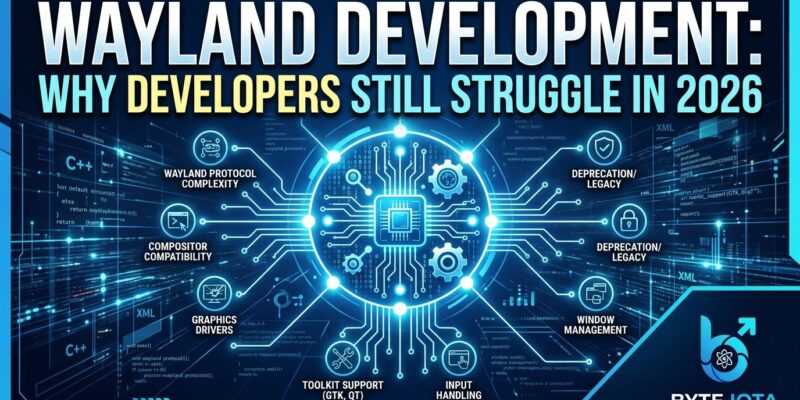
Under X11, any app could capture global keyboard input using XGrabKey. Wayland blocks this at the protocol level—the capability simply doesn’t exist. X11 apps used XMoveWindow and tools like xdotool to position windows. In Wayland, only compositors control window positions. Apps can request a position, but the compositor decides whether to honor it. Consequently, PCSX2 emulator disabled Wayland support entirely because it couldn’t set window positions. KeePassXC’s auto-type has been broken since 2018. AutoKey automation tool explicitly states it “cannot function properly” on Wayland.
These aren’t temporary compatibility issues—they’re permanent tradeoffs. Security through protocol-level restrictions means legitimate developer use cases break alongside malicious ones. Developers must fundamentally rethink workflows that relied on global state, window control, or input injection. X11’s 1984 security model was naive, but it enabled powerful automation. Wayland’s 2026 security model is robust, but it amputates functionality to achieve it.
The Compositor Lottery
Unlike X11’s single Xorg server, every desktop environment implements its own Wayland compositor with different capabilities, extensions, and bugs. An app that works perfectly on KDE can fail completely on GNOME, not because of application bugs, but because compositors implement different protocol extensions.
Screen recording requires wlr-screencopy or ext-image-copy-capture protocols, but not all compositors support both. Tools like kdotool only work on KDE+Wayland, not GNOME or anything else. Moreover, Michael Stapelberg, i3 window manager developer, reported in January 2026: nVidia’s SRC_X DRM property works on Intel but fails on nVidia. Chrome’s GPU crashes after window operations. Mouse cursor feels laggy compared to X11. His verdict? “For the first time, an on-par Wayland experience seems within reach, but realistically it will require weeks or even months of work still.”
Developers can’t just “support Wayland”—they must test on multiple compositors and often implement compositor-specific workarounds. Small projects that could barely afford X11 support now face 3x the testing burden: GNOME, KDE, wlroots. Furthermore, the ecosystem fragmentation is getting worse, not better. X11 had one rulebook. Wayland has three, and they contradict each other.
Fifteen Years and Counting
In 2026, basic developer productivity tools remain broken or severely limited on Wayland. Screen recording, automation software, global hotkeys, clipboard utilities, and remote desktop tools either don’t work or require complex workarounds through inconsistently-implemented portals.
SimpleScreenRecorder has been broken since 2016. vokoscreenNG has no Wayland support. OBS Studio’s global hotkeys fail in Flatpak. AutoKey can’t function. Albert Launcher can’t register global shortcuts. xclip and xsel are incompatible—you must use wl-copy or compositor-specific Clipboard Portal. Remote desktop? No built-in protocol support like X11 forwarding. You need PipeWire plus RDP or VNC, an external stack. Additionally, screensavers are fundamentally incompatible. Root GUI apps are blocked by design. Color management is still in “early thinking stage.”
These aren’t edge cases—they’re core developer workflows. Streaming tutorials requires screen recording. Testing automation needs global input. Remote development depends on X forwarding. Password managers need auto-type. After fifteen years, the question isn’t “when will Wayland be ready?” It’s “will it ever support these use cases?” The answer, for many, is architectural no.
When Big Companies Struggle
JetBrains spent years fixing Wayland bugs before making it default in 2026.1 EAP. Despite this investment, they still document known limitations: windows may not be centered, splash screens won’t appear, some popups can’t move outside the main frame, and Remote Development mode doesn’t support native Wayland. Since the preview in 2024.2, they added drag-and-drop, input methods, and window decorations. Still broken after years of dedicated platform team effort.
If a major IDE vendor with dedicated resources struggles for years to achieve basic Wayland compatibility, what hope do small open-source projects have? A LibrePCB developer captured the sentiment in a GitHub discussion: “I feel totally helpless against such decisions made by Wayland.” Multiple abandoned projects cite unsustainable Wayland support costs. Unmaintained software that worked fine on X11 now faces a binary choice: invest months rewriting for Wayland, or accept that Linux desktop users can’t run it anymore.
The Perpetual Future
After fifteen years of “Wayland is the future,” we’re still asking when that future arrives. Market share hit 40-60% of Linux desktop users in 2026. Fedora, Ubuntu, and Kali default to Wayland. Nevertheless, X11 sessions remain necessary for compatibility, automation, and legacy software. The protocol is mature enough for basic desktop use but not for developer workflows that depend on features Wayland deliberately excludes.
The timeline for feature parity is unclear because some features will never arrive—they conflict with Wayland’s security architecture. Global hotkeys? Security risk. Window control? Compositor’s job. Clipboard access? Use the portal (when it works). These aren’t missing features awaiting implementation. They’re architectural decisions that prioritize security isolation over developer workflows. X11 trusted applications to behave. Wayland trusts only the compositor.
Stapelberg concludes he’ll stay on X11 because switching brings only downsides. This from a window manager developer testing on modern hardware. The irony is thick: Wayland was supposed to fix X11’s legacy problems. Instead, it created new ones that might never be solved. The future is here. It’s just unevenly distributed, fragmented across compositors, and missing features that won’t return by design.
Key Takeaways
- Wayland’s security model breaks legitimate developer use cases by design—password manager auto-type, global hotkeys, window positioning, and automation tools require capabilities Wayland deliberately excludes
- Compositor fragmentation means supporting Wayland requires testing on multiple desktop environments (GNOME, KDE, wlroots) with different bugs and protocol extensions—there’s no single “Wayland” to target
- Core productivity tools remain broken after fifteen years: screen recording, clipboard utilities, remote desktop, and screensavers either don’t work or require complex compositor-specific workarounds
- Even major companies struggle—JetBrains spent years fixing bugs and still documents known limitations in their 2026.1 release after making Wayland the default
- The timeline for feature parity is unclear because some X11 capabilities conflict with Wayland’s architecture—they’re not missing features awaiting fixes, they’re permanent tradeoffs between security and functionality