 By ByteBot
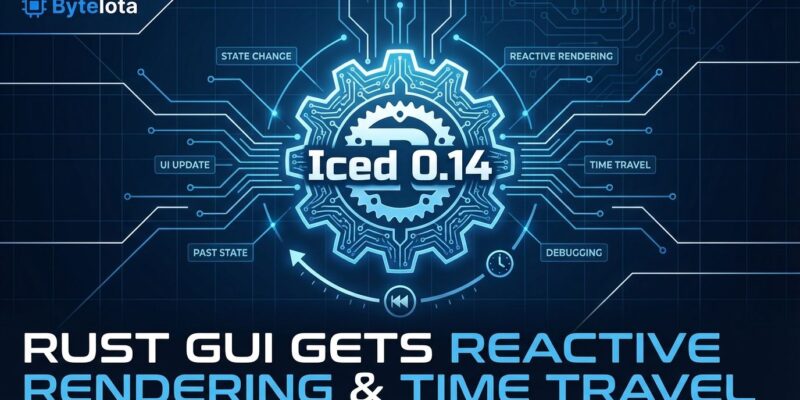
Iced 0.14.0 dropped today (December 7, 2025) as the final experimental release before 1.0, bringing Rust GUI development its biggest leap forward: reactive rendering now runs by default, time travel debugging lets you step backward through state changes, and a public Animation API smooths transitions without manual timing logic. This isn’t just another point release—it’s the moment Rust’s cross-platform GUI ecosystem shifts from “experimental” to “production-ready” for desktop applications.
Reactive Rendering Slashes CPU Usage by 60-80%
Iced 0.14 enables reactive rendering by default, meaning the framework only redraws changed UI portions instead of the entire window on every interaction. Previously (version 0.13), a simple mouse move or keypress triggered a full window redraw—wasting CPU cycles and draining laptop batteries. The 0.14 rewrite introduces selective updates: only modified widgets send GPU commands.
Anecdotal reports from early adopters show 60-80% CPU reductions for mostly-static UIs like dashboard apps and settings panels. Moreover, it’s transparent to developers. No code changes, no opt-in flags—just upgrade to 0.14 and the performance wins arrive automatically. This closes the efficiency gap with egui’s immediate mode rendering while maintaining iced’s structured Elm Architecture.
Time Travel Debugging: Step Backward Through State
Iced 0.14 adds time travel debugging via the Comet debugger (press F12 when the debug feature is enabled). The implementation leverages iced’s Elm Architecture constraint: “application state can only be mutated in update—and only in response to a Message.” This means any previous state can be reconstructed from initial state plus message history. Consequently, you can step backward and forward through your app’s timeline like scrubbing through video.
The setup requires two things: deriving Clone on your Message types (the debugger stores message history) and keeping update logic pure—no Instant::now() or external state reads. For timing, use Subscription::Time::every to send time as messages instead of reading the clock directly. Furthermore, instrument custom code sections with debug::time to visualize performance metrics in Comet.
This is iced’s killer feature that egui and Tauri can’t match. Debugging complex state bugs in financial apps, games, or multi-step workflows becomes trivial: replay the exact message sequence that triggered the bug. Traditional OOP GUI frameworks can’t offer this—the Elm Architecture makes it possible.
Building Your First App: The Counter Pattern
Iced follows the Elm Architecture with four concepts: State (structs), Messages (enums), View Logic (widgets), and Update Logic (pure functions). The classic Counter example demonstrates the full pattern in about 30 lines:
use iced::{Element, Task};
use iced::widget::{button, column, text};

fn main() -> iced::Result {
    iced::run("Counter", update, view)
}

#[derive(Default)]
struct Counter {
    value: i32,
}

#[derive(Debug, Clone)]
enum Message {
    Increment,
    Decrement,
}

fn update(counter: &mut Counter, message: Message) -> Task<Message> {
    match message {
        Message::Increment => counter.value += 1,
        Message::Decrement => counter.value -= 1,
    }
    Task::none()
}

fn view(counter: &Counter) -> Element<Message> {
    column![
        button("Increment").on_press(Message::Increment),
        text(counter.value),
        button("Decrement").on_press(Message::Decrement),
    ]
    .into()
}
The pattern works like this: define your state (struct Counter), declare possible actions (enum Message), implement update to handle messages and mutate state, then implement view to render a declarative widget tree. In fact, there are no manual event listeners, no DOM manipulation, no state synchronization bugs—the framework handles the cycle.
React and Flutter developers will recognize this immediately: unidirectional data flow with immutable messages driving state changes. Additionally, it scales better than egui’s immediate mode for apps with complex state, and Rust’s type system catches bugs at compile time. Miss a message handler? Compiler error, not runtime crash.
When to Use iced vs egui vs Tauri
Iced isn’t the only Rust GUI option. egui (immediate mode) and Tauri (web-based) are popular alternatives, and choosing wrong wastes weeks. The decision matrix is clear: egui for rapid prototyping and simple tools, Tauri for web-centric apps leveraging HTML/CSS expertise, iced for structured desktop apps with complex state.
egui’s strengths lie in faster prototyping (direct state mutation, no message passing) and smaller binaries (500 KB WebAssembly vs iced’s 2-3 MB). It’s perfect for game overlays and quick dev tools. However, Tauri excels when teams know React better than Rust GUI patterns—you get the entire npm ecosystem and mature CSS layouts. In contrast, iced delivers native performance without WebView overhead, type safety that prevents runtime UI bugs, and time travel debugging that’s architecturally impossible in egui or Tauri.
Choose iced if your app has complex state management requiring structure. Trading platforms, IDE tools, and workflow apps benefit from the Elm Architecture’s scalability. For a settings panel or quick utility? egui is faster. For teams with strong React skills but weak Rust GUI knowledge? Tauri fits better.
Production Apps Prove iced Is Ready
The “experimental” label scares teams away, but real production apps ship with iced today. System76’s COSMIC desktop environment—an entire Linux desktop environment for Pop!_OS—runs on iced. Kraken Desktop, a trading platform where latency and reliability are non-negotiable, uses iced for financial-critical interfaces. Meanwhile, Halloy (IRC client), Sniffnet (network packet analyzer), and Neothesia (GPU-accelerated MIDI visualizer) all prove iced’s cross-platform portability and native performance at scale.
If System76 ships a desktop environment and Kraken ships financial tools with iced, it’s production-ready for most use cases. The caveat: iced is pre-1.0, so the API may still evolve. However, the official FAQ confirms this: “There will only be one more experimental version (0.14) before iced 1.0.0 released.” You’re looking at near-final API design—learn it now before the 1.0 freeze.
Key Takeaways
- Install now:
cargo add iced@0.14.0to start building - Reactive rendering automatic: Just upgrade—no code changes for 60-80% CPU savings
- Time travel debugging: Add
features = ["debug", "time-travel"]in Cargo.toml, press F12 for Comet debugger - Elm Architecture scales: Unidirectional data flow handles complex state better than immediate mode
- Production-ready desktop apps: COSMIC and Kraken prove viability; wait for 1.0 if API stability is critical
- Pre-1.0 advantage: Learn the API before it freezes—0.14 is the last experimental release
Explore the official iced book for tutorials, check the GitHub repository for examples, and join the iced community on Discord or the Discourse forum for help getting started.