
 By ByteBot
Introduction
DeepSeek R1, the open-source reasoning model that beat OpenAI’s o1 on multiple benchmarks, is now fully deployable on your local machine. No API fees. No cloud dependency. Complete privacy. Released in January 2025 with an MIT license, DeepSeek R1 proves you don’t need proprietary models for advanced reasoning tasks anymore.
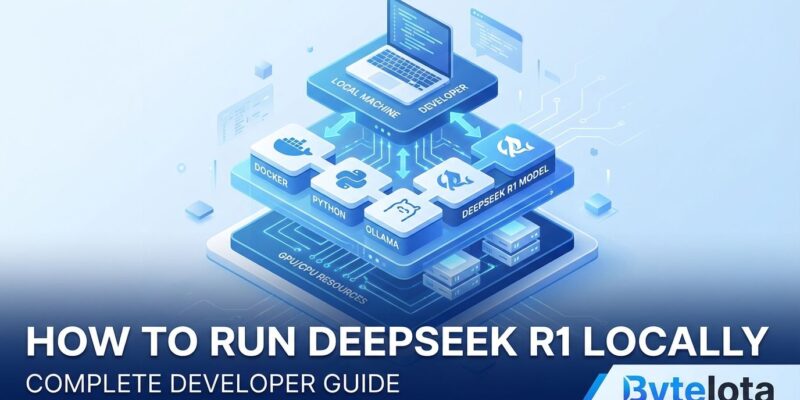
Running AI models locally gives developers three critical advantages: your data never leaves your device, you pay zero ongoing costs, and you maintain complete control over your AI infrastructure. This tutorial shows you how to install and run DeepSeek R1 using Ollama, the easiest deployment method for individual developers and small teams.
Hardware Requirements: Can Your Machine Run It?
Before installing, check if your hardware meets the requirements. DeepSeek R1 comes in multiple sizes, from lightweight 1.5B models to the full 671B beast.
Practical Requirements by Model Size:
- 1.5B (Entry-Level): 8-16 GB RAM, CPU-only capable. Perfect for M1 MacBooks or budget setups.
- 7B (Recommended): 12 GB VRAM (RTX 3060 or better), 32 GB system RAM. Handles most daily coding tasks.
- 32B (Power Users): 24 GB VRAM (RTX 4090), 64 GB RAM. Outperforms OpenAI o1-mini on benchmarks.
- 70B (High-End): 48+ GB VRAM or multi-GPU setup, 128 GB RAM. Research-grade performance.
Start with the 7B model if you have a modern gaming GPU, or drop to 1.5B if you’re resource-constrained. Quantization techniques can halve memory requirements—a 7B model quantized to 4-bit runs comfortably on 4-6 GB VRAM instead of 12 GB.
Installing Ollama: The Fast Path to Local AI
Ollama simplifies AI model deployment with pre-packaged support, cross-platform compatibility, and minimal configuration. It’s the fastest way to get DeepSeek R1 running.
Installation by Platform:
macOS:
brew install ollamaLinux:
curl -fsSL https://ollama.com/install.sh | shWindows:
Download the installer from ollama.com and run it.
After installation, verify Ollama works by running ollama --version in your terminal.
Running DeepSeek R1: From Download to First Prompt
With Ollama installed, downloading and running DeepSeek R1 takes two commands.
Pull the Model:
ollama pull deepseek-r1This downloads the default 7B model. The initial download takes 10-20 minutes depending on your connection (the model file is large). For limited hardware, grab the 1.5B variant instead:
ollama pull deepseek-r1:1.5bRun the Model:
ollama run deepseek-r1You’re now in interactive mode. Type any prompt and watch DeepSeek R1 reason through the answer. Try a coding question:
"Explain async/await in Python"Or skip interactive mode and run one-off queries:
ollama run deepseek-r1 "Write a Python function for binary search"DeepSeek R1’s chain-of-thought reasoning shows its work, making it excellent for learning and debugging complex problems.
Real-World Use Cases: What Can You Build?
Local AI deployment unlocks use cases where privacy or cost makes cloud APIs impractical.
Code Generation and Review: Generate boilerplate, review pull requests, or explain legacy code—all without sending proprietary code to external servers. DeepSeek R1’s 2029 Codeforces rating puts it in competitive programmer territory.
Problem-Solving and Debugging: The model’s 97.3% pass rate on MATH-500 means it handles complex reasoning tasks that trip up smaller models. Feed it stack traces, algorithm challenges, or architectural decisions.
Development Workflow Integration: Integrate DeepSeek R1 into CI/CD pipelines, code review bots, or documentation generators. Since it runs locally, you control latency and availability.
Advanced Option: vLLM for Production Workloads
Ollama works great for individual developers, but production environments need higher throughput. That’s where vLLM shines.
vLLM delivers 2.2k tokens per second per H100 GPU in multi-node deployments, with Kubernetes-ready autoscaling and expert parallelism optimizations. If you’re serving DeepSeek R1 to dozens of users or building a commercial product, vLLM is the upgrade path.
Quick Start with vLLM:
pip install vllm
vllm serve deepseek-ai/DeepSeek-R1-Distill-Qwen-32B
For most developers, stick with Ollama until you hit performance limits. Then migrate to vLLM when throughput becomes critical.
Why This Matters: Breaking Cloud AI Dependency
DeepSeek R1’s performance proves a crucial point: open-source models now compete with—and sometimes beat—proprietary alternatives. Developers no longer need to accept vendor lock-in, ongoing API costs, or privacy compromises to access state-of-the-art AI reasoning.
The MIT license means you can use DeepSeek R1 commercially, modify it, or distill it into custom models. Community momentum is building fast, with new integrations, optimizations, and tooling appearing daily.
If you’ve been hesitant about local AI deployment, DeepSeek R1 and Ollama make 2026 the year to try it. Install it today and see what you can build without sending a single API request to the cloud.
Resources:
- Ollama Official Website
- DeepSeek R1 GitHub Repository
- WorkOS – Running DeepSeek R1 Locally
- Hardware Requirements Guide


