 By ByteBot
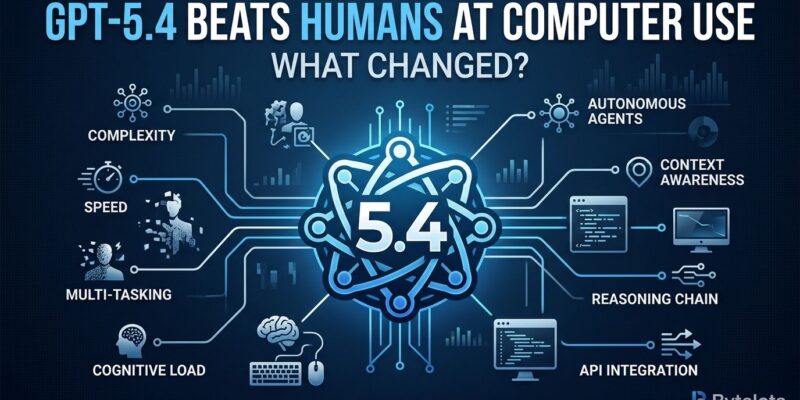
OpenAI’s GPT-5.4, launched on March 5, crossed a threshold AI researchers have chased for years: it beats human performance at operating desktop computers. On OSWorld-Verified, the benchmark testing screenshot-based navigation and mouse/keyboard control, GPT-5.4 achieves 75% success versus 72.4% for humans—the first time any general-purpose AI model has surpassed human-level desktop task execution. This isn’t about chatbots answering questions anymore. It’s about AI that can see your screen, click buttons, fill forms, navigate applications, and complete real workflows autonomously.
What GPT-5.4 Computer Use Actually Means
GPT-5.4’s “computer use” capability means the model can operate real applications through two methods: writing Playwright automation code, or issuing direct mouse clicks, keyboard inputs, and scrolling commands in response to screenshots. It perceives desktop environments visually, processing images up to 10.24 million pixels in full resolution, interprets UI elements, formulates actions, executes them, and observes results in a feedback loop—just like a human would, except at 75% success rate.
A concrete workflow example illustrates the capability: “Find and download Q4 financial reports from SharePoint, extract revenue figures, update Excel dashboard, email summary to CFO.” GPT-5.4 can execute this end-to-end. It navigates browser to SharePoint via mouse/keyboard, searches for reports, downloads PDFs, reads and extracts data, launches Excel, updates cells with formulas, composes and sends email. Success rate: roughly 75% per OSWorld benchmark. The 25% failure modes include misidentifying buttons, losing context mid-workflow, and misparsing documents.
This fundamentally changes what “AI automation” means. Previous automation required custom API integrations for every tool. GPT-5.4 can operate ANY application with a visual interface—even legacy systems without APIs. If it has a UI, GPT-5.4 can control it. That’s a differentiator for enterprise automation where 80% of tools lack modern APIs.
The 75% Problem: Why Not Autonomous Yet
OSWorld 75% success means 1 in 4 workflows fail. This makes GPT-5.4 suitable for “assisted automation” with human review, not autonomous operation. Real-world deployment issues compound this: citation failures in 15-20% of deep research reports, non-deterministic outputs despite temperature 0.0 due to mixture-of-experts architecture routing, and “oversmart” behavior where the model overthinks simple tasks or adds unwanted analysis.
Developers on Reddit and Hacker News report mixed experiences. Some praise speed and capability gains versus GPT-5.2. However, others complain about “overanalysis, slowness, or an ‘oversmart vibe’ that makes it harder to steer in day-to-day work.” One developer summarized: “GPT-5.4 felt better for some real coding work, while Claude ‘talks’ better and produces nicer output formatting in some tools. It’s about use-case fit, not universal superiority.”
Production reality: enterprises design workflows ASSUMING 75% accuracy—building review checkpoints at critical steps. A solar developer using GPT-5.4 to generate Power Purchase Agreement financial models loads 1.2 million tokens of templates and tariff schedules, lets the model handle “80% of grunt work,” then analysts review outputs instead of building from scratch. That’s the pattern: AI does the heavy lifting, humans validate. The 75% threshold is psychologically significant but operationally insufficient for autonomous deployment. It answers “Can AI operate computers like humans?” (yes, barely). But it raises the more important question: “What workflows become automatable at 75% accuracy with human review?”
Real-World Deployment Patterns
Enterprises deploy GPT-5.4 for three primary use cases. First, spreadsheet and Excel automation via ChatGPT-for-Excel add-in—describe workflow once, model executes data pulls, calculations, formatting. Second, financial modeling—loading massive context windows (1 million tokens) with templates, tariff schedules, historical data to automate 80% of model generation. Third, multi-step coding workflows—SWE-Bench Pro performance improved from 55.6% to 57.7%, resolving dozens of additional real GitHub issues correctly.
Business-facing outlets treated GPT-5.4 as “office automation infrastructure” rather than chatbot upgrade—especially highlighting Excel and financial-data integrations. With ChatGPT-for-Excel, users describe: “Pull Q4 sales by region, calculate growth vs Q3, highlight regions >10% growth, generate summary pivot table.” GPT-5.4 executes the entire workflow, handling 80% of grunt work while users review outputs.
The solar developer pilot demonstrates production deployment: loaded 1.2 million tokens including PPA templates, tariff schedules, three years of dispatch data, and regulatory requirements. Moreover, the prompt “Generate PPA financial model for 50 MW CAISO project with 30% ITC, 2026 COD, 25-year term” produced a full financial model with NPV, IRR, LCOE, sensitivity analysis. Analyst effort: 20% review versus 100% build-from-scratch. These aren’t prototypes—they’re production deployments showing ROI. The pattern is consistent: AI handles structured, repetitive 80% of professional workflows (data manipulation, template filling, calculation execution), humans handle judgment calls and validation. This isn’t full automation, it’s augmentation at scale.
GPT-5.4 vs Claude: Hybrid Strategies Win
GPT-5.4’s primary competitor is Anthropic’s Claude Opus 4.6, and developers are adopting HYBRID strategies rather than choosing one model. The emerging best practice: Claude Sonnet 4.6 as default (speed, cost efficiency), GPT-5.4 for computer use and maximum reasoning depth, Claude Opus 4.6 for deep technical workflows and multi-agent orchestration. On BrowseComp benchmark, Claude Sonnet 4.6 achieves 74% single-agent but 82% with multi-agent orchestration—beating GPT-5.4’s estimated 75% single-agent when orchestration matters.
Key differentiation: GPT-5.4 is the ONLY general-purpose model with native computer use at human-level performance. Claude Opus wins on “orchestration-first” architecture—better for code review, debugging, large codebases, team-based agent workflows. Consequently, GPT-5.4 wins on general-purpose automation and computer control. Developer consensus from Hacker News: “The smart strategy is using both: Sonnet 4.6 as your default for speed and cost, GPT-5.4 when you need maximum reasoning depth or computer use capabilities.” No single model dominates all use cases—best-of-breed selection is replacing vendor lock-in. The “AI model wars” aren’t producing a single winner—they’re producing specialization.
The Automation Threshold Question
GPT-5.4’s 75% OSWorld performance raises the central question: what happens when that becomes 85%, 90%, 95%, 99%? At 75%, human oversight is mandatory (1 in 4 fails). At 90%, it becomes optional for some workflows. At 99%, autonomous operation becomes feasible. Industry analysts predict 85-90% within 6-12 months based on GPT-5.2 to GPT-5.4 improvement trajectory (47.3% to 75% equals 58% gain in just 4 months).
The automation implications shift dramatically at each threshold. At 75% (current): assisted automation—AI does grunt work, humans review. At 90% (projected 6-12 months): supervised automation—AI operates, humans spot-check. At 99% (timeline unclear): autonomous automation—AI operates unsupervised. Job displacement debates center on this progression. Furthermore, at 75%, workflows are accelerated but not eliminated—analysts still needed to validate GPT-5.4’s financial models. At 99%, that validation step becomes optional. Which jobs survive the transition? Those requiring judgment, creativity, or human connection that AI can’t replicate.
We’re at the beginning of a curve, not the end. GPT-5.4’s 75% marks “AI can technically operate computers”—a threshold crossed. However, operational viability requires 90%+. The next 6-12 months determine whether computer use becomes a niche feature or a fundamental shift in how software automation works.