 By ByteBot
Google launched Workspace Studio on December 3, 2025—a no-code platform that lets anyone build AI agents using plain English. Powered by Gemini 3, the platform integrates with Gmail, Drive, Sheets, and third-party tools like Salesforce and Jira. Early adopters completed 20 million tasks in 30 days before general availability, with companies like Kärcher reporting 90% reduction in drafting time. This is Google’s direct answer to Microsoft Copilot Actions in the enterprise automation battle.
The timing matters. As enterprises push for practical AI automation, Google bets that plain-English agent builders will outcompete traditional workflow tools. However, analysts warn the “no-code” promise hides complexity most employees can’t handle. Here’s what developers need to know about Workspace Studio’s real-world impact, technical limitations, and when to use it over Apps Script or Power Automate.
Real-World Impact: 90% Time Reduction Proven
Kärcher, a cleaning solutions manufacturer, deployed a “virtual team” of four coordinated AI agents that cut drafting time by 90%. When a new product idea enters their Chat channel, the system activates automatically. A brainstorming agent assesses the idea’s merit, a feasibility checker validates technical constraints, a UX agent drafts user flows, and a final agent consolidates everything into a ready-to-review user story. What used to take hours of manual work now completes in two minutes.
That’s not an isolated success. Early alpha users completed 20 million tasks across industries before general availability. Teams automated status reports, legal notice triage, travel request processing, and invoice extraction. The platform handles everything from sentiment analysis to multi-step business processes without code.
The efficiency gains are real, not marketing hype. Consequently, the question developers should ask: Can non-technical employees build and maintain these agents reliably, or will IT teams inherit a governance nightmare?
How Google Workspace Studio Works: Plain English to Working Agents
Type “every Friday, ping me to update my tracker” and Gemini 3 generates a working agent. No Apps Script. No visual workflow builders. Just natural language descriptions.
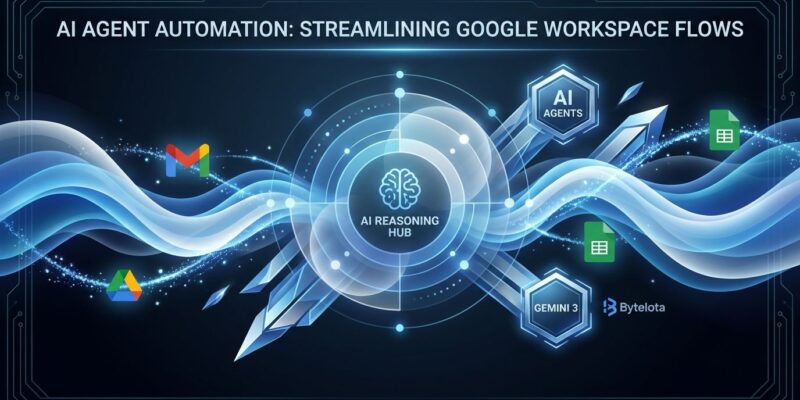
The architecture is straightforward. Gemini 3 Pro handles reasoning and multimodal understanding. Agents integrate natively with Workspace apps—Gmail, Drive, Chat, Sheets—and connect to third-party platforms via pre-built steps for Asana, Jira, Salesforce, and Mailchimp. For custom integrations beyond the template library, you still need Apps Script.
Here’s a concrete example from Google’s official announcement. An email prioritization agent detects questions in incoming emails, applies labels automatically, sends Chat notifications to relevant teams, and extracts action items and invoice numbers from attachments. Moreover, the agent reasons through edge cases—distinguishing urgent requests from routine updates—and adapts when email patterns change.
Agents share like Drive files. Build once, deploy team-wide. No developer bottleneck.
The “No-Code” Reality Check: Hidden Complexity Remains
Google markets Workspace Studio as democratizing automation, but analysts aren’t convinced most employees have the skills to build reliable agents.
J.P. Gownder, Forrester VP, is blunt: “Creating agents is beyond the skill level of most employees today. There will be a need for hand-holding and curation from IT teams for the next few years.”
The Futurum Group analysis goes further. No-code tools lower the barrier to creating automations, but they don’t eliminate the barrier to creating automations that work reliably six months later. Genuinely useful automation requires understanding edge cases, error handling, data validation, and maintaining integrations when APIs change. Google’s plain-English interface hides this complexity—it doesn’t remove it.
Then there’s governance. Furthermore, Google caps customers at 100 agents and 20 steps per agent. Sounds reasonable until you multiply 100 agents by hundreds of employees across departments. IT teams face potential chaos: duplicated workflows, conflicting logic, untested agents running in production. Who maintains an agent when the employee who built it leaves the company?
The technical limits constrain ambition. Twenty steps cap complex workflows. Apps Script fills the gap for custom integrations, which means “no-code” becomes “mostly no-code but you still need developers for anything serious.” That’s not democratization—it’s shifting the bottleneck.
Google vs Microsoft: Ecosystem Lock-In Determines the Winner
Workspace Studio competes directly with Microsoft Copilot Actions. Both platforms offer plain-English agent builders powered by frontier AI models—Gemini 3 vs GPT-5. Both integrate deeply with their respective ecosystems. Both promise to eliminate coding barriers.
The winner won’t be determined by features. It’ll be determined by ecosystem market share. Microsoft 365 dominates enterprise. Power Automate has 33 million monthly active users and a mature low-code ecosystem. Google Workspace is the challenger, not the incumbent.
If your organization uses Google Workspace, Workspace Studio is compelling. Native integration beats third-party connectors every time. However, if you’re on Microsoft 365 or need cross-platform automation, Power Automate’s broader integrations and established workflows make more sense.
The strategic question: Does Google’s simpler natural-language interface offset Microsoft’s enterprise dominance? Early adoption numbers will answer that over the next year.
When to Use Workspace Studio (And When to Skip It)
Choose Workspace Studio for Workspace-native workflows under 20 steps where rapid prototyping matters. Use it when business users understand their processes better than IT and need automation quickly without developer resources.
Skip it for cross-platform automation spanning Workspace, Slack, AWS, and custom systems. Skip it for mission-critical workflows where governance, testing, and maintenance are non-negotiable. Skip it when complexity exceeds 20 steps—use Apps Script instead for full programmatic control.
The Futurum Group recommendation cuts through the hype: “The teams that will succeed with Workspace Studio are the ones that automate strategically—identifying high-value, stable workflows where automation compounds over time, and resisting the temptation to automate edge cases that change frequently.”
In practice, that means automating invoice extraction and approval routing, not one-off workflows that change monthly. It means systematic status reporting, not experimental idea triage systems that need constant tuning.
Key Takeaways
- Workspace Studio delivers measurable efficiency—20 million tasks completed, 90% drafting time reduction at Kärcher. The platform works as advertised for Workspace-native automations under technical limits.
- “No-code” doesn’t eliminate complexity. Analysts correctly warn that reliable automation requires understanding edge cases, maintenance, and governance—skills most employees lack.
- Google challenges Microsoft in enterprise automation, but ecosystem lock-in favors the incumbent. Workspace customers get native integration. Microsoft 365 customers stick with Copilot Actions and Power Automate.
- Choose strategically. Automate high-value, stable workflows. Resist automating edge cases that change frequently. Budget for hidden costs: governance overhead, maintenance, and IT hand-holding.
- Workspace Studio rolls out to Rapid Release domains now, with Scheduled Release starting January 5, 2026. Access at studio.workspace.google.com once your organization enables it.