
 By ByteBot
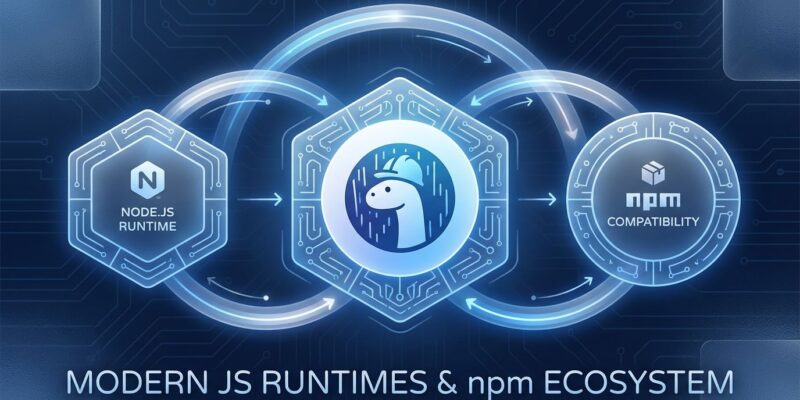
Ryan Dahl stood on stage in 2018 and listed 10 things he regretted about creating Node.js. Seven years later, Deno 2.0 proves he wasn’t just complaining—he was fixing the problems. The October 2025 release achieves full npm compatibility, eliminating the barrier that kept developers from migrating. You can now run any of the 2+ million npm packages in Deno while keeping its security-first design and zero-config TypeScript. The excuse not to try Deno just disappeared.
This isn’t hype. Deno 1.x had partial npm support that frustrated more than it helped. Deno 2.0 delivers 100% backward compatibility with Node.js. Express works. Prisma works. Your entire dependency tree works. The migration path for a typical Node.js project takes 2 hours, not 2 weeks. But knowing when NOT to migrate matters as much as knowing how.
The npm Barrier is Finally Gone
Ecosystem lock-in killed Deno’s adoption for five years. Developers loved the concepts—security by default, built-in TypeScript, modern standard library—but faced a brutal reality. Node.js had 2 million packages. Deno had 5,000. Choosing Deno meant rewriting everything or abandoning half your toolchain.
Deno 2.0 fixes this with the npm: specifier. Import any npm package directly without configuration:
import express from "npm:express@4";
import { PrismaClient } from "npm:@prisma/client";

const app = express();
const prisma = new PrismaClient();
That’s it. No package.json required. No node_modules directory. Deno caches dependencies globally and verifies integrity with lock files. You get npm’s ecosystem with Deno’s security model.
The compatibility isn’t superficial. Popular frameworks run unchanged. Express, Fastify, and Koa handle HTTP requests. Prisma and TypeORM manage databases. Lodash, axios, date-fns, zod—everything works. If it runs on Node.js, it runs on Deno 2.0.
Migration Guide: Node.js to Deno 2.0 in 2 Hours
Migrating a standard Node.js application to Deno 2.0 is simpler than configuring TypeScript in a new Node project. Here’s the process:
Step 1: Install Deno 2.0
curl -fsSL https://deno.land/install.sh | sh
deno --version  # Verify 2.x
Step 2: Run existing code with compatibility mode
deno run --node-compat main.jsMost Node.js scripts execute without changes. The --node-compat flag enables Node APIs and behaviors.
Step 3: Update imports to use npm specifiers
// Before (Node.js CommonJS)
const express = require('express');

// After (Deno 2.0 ES modules)
import express from "npm:express@4";
Step 4: Add explicit permissions
Deno’s security model requires declaring what your code can access:
deno run --allow-net --allow-read --allow-env server.tsNetwork access, file reads, and environment variables need explicit permission. This feels annoying at first. In production, it’s genius—compromised dependencies can’t exfiltrate data without permissions you never granted.
Common Gotchas and Fixes
Problem 1: __dirname and __filename don’t exist in Deno.
// Node.js
const configPath = path.join(__dirname, 'config.json');

// Deno solution
const configPath = new URL("./config.json", import.meta.url).pathname;
Problem 2: Native modules using C++ addons fail.
Packages like bcrypt, sharp, and sqlite3 compile with node-gyp and won’t work. Solutions exist: use bcryptjs (pure JavaScript, identical API), switch to Deno’s built-in KV storage, or wait for native module support. This limitation is real and blocks some projects.
Problem 3: File system APIs differ slightly.
// Node.js
const data = fs.readFileSync('data.txt', 'utf8');

// Deno (requires --allow-read)
const data = await Deno.readTextFile('data.txt');

// Or use Node's fs via npm
import fs from "npm:fs";
const data = fs.readFileSync('data.txt', 'utf8');  // Also works
Both approaches work. Deno’s native APIs use async/await by default. Node’s sync methods work through npm compatibility.
When You Should (and Shouldn’t) Migrate
Deno 2.0 is production-ready, but it’s not right for every project. Here’s the decision framework:
Migrate to Deno if you’re running:
- TypeScript-first projects. Deno executes TypeScript with zero configuration. No tsconfig.json, no @types packages, no ts-node. Write .ts files and run them. Node’s TypeScript setup remains painful by comparison.
- Security-critical applications. Financial services, healthcare, user data platforms—anything requiring granular access control benefits from Deno’s permissions model. Compromised dependencies can’t access resources you didn’t explicitly allow.
- Edge computing deployments. Deno Deploy offers fast startup and V8 isolates instead of containers. Competes with Cloudflare Workers and Vercel Edge Functions with better developer experience.
- Greenfield projects. New applications have zero migration cost. Defaulting to Node.js in 2025 means choosing slower startup, weaker security, and more configuration for no reason.
Stay on Node.js if you have:
- Enterprise stability requirements. Node’s 13 years of production hardening matters for mission-critical systems. Deno is stable but younger. Risk tolerance varies.
- Heavy native module dependencies. If your stack relies on bcrypt, sharp, or other C++ addons, you’ll hit compatibility walls. Workarounds exist but add complexity.
- No bandwidth for migration. Node.js works. If it’s not broken and you’re not drowning in TypeScript configuration hell, don’t fix it.
The performance argument matters less than you think. Deno starts 40% faster than Node (35ms vs 60ms). But Bun starts in 20ms. If raw speed drives your decision, Bun wins. Deno’s value proposition is security and developer experience, not being the fastest runtime.
Why This Changes the JavaScript Runtime Wars
2025 marks the end of Node.js’s monopoly. Three viable runtimes now exist, each with different strengths:
Node.js remains dominant through inertia and stability. Enterprise teams trust 13 years of battle-testing. The ecosystem is largest. Compatibility is universal. Market share sits around 85% but declining slowly.
Deno captures security-conscious developers and TypeScript-heavy teams. Built-in tooling eliminates decision fatigue. Edge computing deployments favor its architecture. The permissions model aligns with regulatory compliance requirements (GDPR, SOC2, HIPAA). Expect 10-15% market share by 2027.
Bun wins on raw performance. Startup time is 3x faster than Node. Package installs run 20x quicker. Serverless functions see 40% cost reduction from faster execution. New projects choosing speed over stability pick Bun.
The future isn’t one runtime replacing the others. It’s specialization. Node for enterprise stability. Deno for security and edge. Bun for performance-critical applications. WinterCG’s standardization efforts aim to make code portable across all three. Write once, run anywhere becomes reality.
Ryan Dahl’s original “10 Things I Regret About Node.js” talk from JSConf 2018 identified real problems: security model holes, callback hell, build system complexity, package.json bloat. Deno 2.0 proves those problems were fixable without abandoning the ecosystem. Pragmatism beats purity.
The Built-In Tooling Advantage Nobody Talks About
Deno eliminates JavaScript tooling fatigue. Every tool you configure in Node.js comes built-in:
deno fmt– Formatting (no Prettier config debates)deno lint– Linting (no ESLint setup)deno test– Testing (no Jest/Vitest/Mocha choice paralysis)deno bundle– Bundling (no webpack/rollup/esbuild research)deno doc– Documentation generationdeno info– Dependency inspection
Node.js project setup: Install dependencies, configure Prettier, set up ESLint, choose test framework, configure TypeScript, integrate with bundler. 30 minutes of bikeshedding before writing code.
Deno project setup: deno init. Start coding.
The trade-off is flexibility. You can’t use your meticulously crafted Prettier config. Deno’s formatter has opinions and you’ll accept them. For many teams, this is a feature. Decision fatigue kills productivity. Deno eliminates 15 decisions before you write the first function.
What This Means for Your Next Project
Deno 2.0 delivered on its seven-year promise. Full npm compatibility removes the ecosystem barrier while preserving security and developer experience advantages. The migration path is straightforward for most applications. Native module limitations are real but solvable.
Node.js isn’t obsolete. Deno isn’t a revolution. Bun isn’t a fad. Three runtimes with different strengths means choosing the right tool for the job instead of defaulting to the only option. That’s healthier for the JavaScript ecosystem.
If you’re starting a TypeScript project in 2025 and choosing Node.js, you should know why. “It’s what we’ve always used” stopped being a good reason when Deno 2.0 shipped. The barriers are gone. The excuses are gone. What’s left is the decision.


