
 By ByteBot
CSS has finally gained native conditional logic through the if() function in Chrome 137, eliminating the need for preprocessors like Sass for basic conditionals. The feature enables developers to apply dynamic styles based on media queries, feature detection, and custom properties—all inline within property declarations. But there’s a catch: it only works in Chromium browsers, and limited support means you need a progressive enhancement strategy before adopting it in production.
What is CSS if() and How It Works
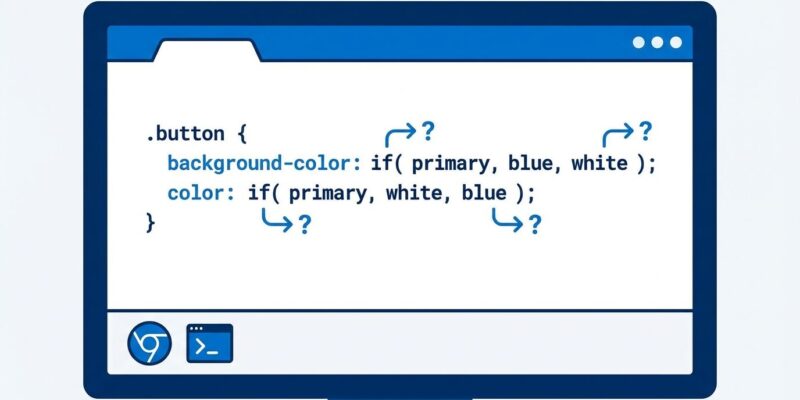
The if() function accepts condition-value pairs separated by semicolons, evaluating them sequentially until finding a match. It supports three query types: style() for custom properties, media() for viewport conditions, and supports() for feature detection. The else clause provides a fallback value when no conditions match.
The basic syntax looks like this:
property: if(condition-1: value-1; condition-2: value-2; else: value-3);Here’s how the three query types work in practice. For responsive button sizing based on pointer type:
button {
  width: if(media(any-pointer: fine): 30px; else: 44px);
  height: if(media(any-pointer: fine): 30px; else: 44px);
}
For progressive enhancement with modern color spaces, the supports() query detects browser capabilities:
body {
  background-color: if(
    supports(color: oklch(0.7 0.185 232)): oklch(0.7 0.185 232);
    else: #00adf3
  );
}
And for state-based theming without CSS classes, style() queries check custom property values:
.card {
  --status: attr(data-status type(<custom-ident>));
  border-color: if(
    style(--status: pending): royalblue;
    style(--status: complete): seagreen;
    else: gray
  );
}
According to Chrome for Developers, the function “evaluates each condition sequentially and returns the value associated with the first true condition.” This sequential evaluation mirrors switch-case logic in programming languages, making it intuitive for developers familiar with conditional statements.
Browser Support Reality: Chrome-Only in 2025
Here’s where excitement meets reality. As of December 2025, the CSS if() function only works in Chromium browsers—Chrome 137+, Edge, and Opera. Firefox and Safari remain in experimental phases, meaning 40% or more of web users cannot access this feature.
MDN Web Docs explicitly warns developers to “check the Browser compatibility table carefully before using this in production.” The feature is marked as “Experimental” and “not yet Baseline,” signaling that cross-browser support is years away, not months.
Browser market share tells the story: Chrome and Edge command 60-65% of users, Firefox holds 15%, and Safari claims 20% on desktop but 35% on mobile. Even if Firefox adds support in 2026, Safari’s mobile dominance means waiting until 2027 for universal adoption. The if() function is part of the CSS Values and Units Module Level 5 draft specification, which remains subject to changes before finalization.
Production use without fallbacks is a non-starter. Developers who ship if() syntax without progressive enhancement will deliver broken experiences to nearly half their audience.
Progressive Enhancement: How to Use CSS if() Safely
The solution is progressive enhancement with the @supports rule. This approach provides baseline styles for all browsers, then enhances the experience for Chrome 137+ users without breaking Firefox or Safari.
Here’s the pattern:
/* Baseline for all browsers */
button { width: 44px; }

/* Enhanced experience for Chrome 137+ */
@supports (color: if(style(--test: 1): 1; else: 0)) {
  button {
    width: if(media(any-pointer: fine): 30px; else: 44px);
  }
}
The @supports wrapper tests if the browser understands if() syntax before applying it. Browsers that don’t support if() ignore the @supports block entirely and use the default 44px width. Chrome 137+ users get the refined experience with device-appropriate sizing.
LogRocket’s analysis emphasizes this default-first approach: “Write baseline styles that work everywhere, then gate if() enhancements with @supports checks.” This isn’t optional—it’s the only responsible way to use experimental CSS features in production.
For projects with Chrome-only audiences (internal tools, Electron apps, browser extensions), the @supports wrapper becomes optional. But for public-facing websites, progressive enhancement is non-negotiable.
When to Use CSS if() (And When to Avoid It)
The if() function excels at property-level conditionals: responsive button sizing for touch versus mouse input, design system theming with custom properties, and progressive enhancement for modern CSS features. It centralizes conditional logic at the property level, reducing rule fragmentation.
Ideal use cases include:
- Touch target optimization: Adjust button sizes based on pointer precision (44px for touch, 30px for mouse)
- Feature detection: Use modern color spaces when supported, fallback to sRGB otherwise
- State-based styling: Dynamic form validation states without proliferating CSS classes
- Responsive typography: Font sizing based on viewport width tiers, consolidated in one declaration
However, the if() function has clear limitations. CSS-Tricks notes that “even three conditions makes my eyes hurt with complexity,” recommending developers keep conditionals to 3-4 maximum for readability. Complex multi-condition logic becomes unreadable quickly, defeating the maintainability benefits.
Avoid if() for complete layout reflows—traditional media queries remain more appropriate. When coordinating multiple child elements, container queries provide better solutions. The if() function complements but doesn’t replace media queries, container queries, or CSS custom properties.
And critically, avoid if() entirely if your audience includes significant Firefox or Safari users. The 40%+ unsupported demographic makes this a 2027 feature for most production sites, not a 2025 feature.
The Bottom Line
CSS if() represents genuine evolution in native CSS capabilities. It eliminates preprocessor dependencies for basic conditionals, enables runtime evaluation that responds to dynamic changes, and centralizes property-level logic in cleaner code. But the experimental specification status and Chrome-only support mean most developers should wait or adopt cautiously with progressive enhancement.
Here’s the practical roadmap:
- Learn it now: Familiarize yourself with syntax and patterns while browser support expands
- Use it carefully: Progressive enhancement with
@supportswrappers enables safe production use for non-critical features - Plan for 2027: Expect Firefox support in 2026, Safari in 2026-2027, and universal “safe everywhere” status around 2027
- Keep fallbacks simple: Default styles should provide full functionality—enhancements are bonuses, not requirements
- Watch browser support: Monitor caniuse.com for Firefox and Safari experimental support signals
The if() function won’t replace Sass or Less entirely—compile-time conditionals still have value for complex build logic. But for runtime property-level conditionals, native CSS now offers a path forward. Just don’t rush into production without accounting for the browsers that power nearly half the web.
For more technical details, review the official Chrome 137 release notes and The New Stack’s industry analysis.


