 By ByteBot
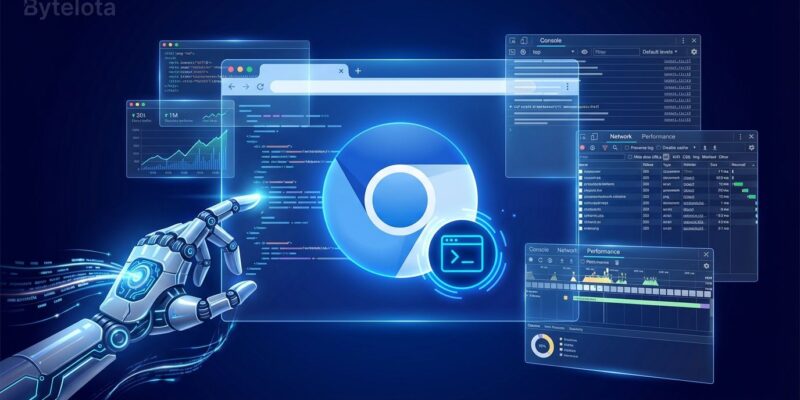
Google Chrome just gave AI coding agents something they desperately needed: the ability to see what their code actually does in a live browser. Chrome DevTools MCP, trending #3 on GitHub today with 291 stars, is a Model Context Protocol server that lets AI assistants like Claude, Cursor, and Copilot control Chrome browsers through the full Chrome DevTools Protocol. With 84% of developers using AI coding tools but 66% saying the output is “almost right,” this bridges the critical gap between code generation and verification.
The “Almost Right” Problem
Here’s the uncomfortable truth about AI coding tools: 66% of developers say the code they generate is “almost right”—meaning it looks correct but has bugs. A 2025 study by nonprofit research organization METR found that while developers believed AI made them 20% faster, objective tests showed they were actually 19% slower. The culprit? AI agents excel at writing code but can’t verify it works.
Chrome DevTools MCP solves this by giving AI agents “eyes.” They can now open browsers, inspect network requests, record performance traces, and verify their fixes actually work. As the Chrome team puts it: “Coding agents face a fundamental problem: they are not able to see what the code they generate actually does when it runs in the browser.”
What Chrome DevTools MCP Actually Does
The MCP server provides 18+ tools that let AI agents control Chrome like a human developer would:
Performance analysis: Record traces, extract Core Web Vitals (LCP, FID, CLS), and suggest optimizations. Prompt: “Localhost:8080 is loading slowly. Make it load faster.” The AI agent runs a performance trace and returns specific recommendations.
Debugging: Monitor console errors, inspect network requests for CORS issues, take screenshots for visual regression testing. Prompt: “A few images on localhost:8080 are not loading. What’s happening?” The AI opens the site, checks the network tab, finds the CORS error, and suggests a fix.
Automation: Click, fill forms, navigate pages, simulate user workflows. Emulate devices with CPU throttling and network speed restrictions. Automate testing in CI/CD pipelines—one use case has AI agents running performance checks on every pull request and posting results as comments.
Installation takes one configuration block:
{
  "mcpServers": {
    "chrome-devtools": {
      "command": "npx",
      "args": ["chrome-devtools-mcp@latest"]
    }
  }
}
It works with Claude Desktop, Claude Code, Cursor, Copilot, Gemini CLI, VS Code (via Continue), Cline, and JetBrains IDEs.
The MCP Ecosystem Story
Chrome DevTools MCP isn’t just another tool—it’s the first official browser debugging MCP server from a major vendor, validating the Model Context Protocol as the emerging standard for AI agent integration.
MCP was created by Anthropic in November 2024 and donated to the Agentic AI Foundation under the Linux Foundation. It’s co-founded by Anthropic, Block, and OpenAI, with support from Google, Microsoft, AWS, Cloudflare, and Bloomberg. ChatGPT, Gemini, Claude, and Copilot all use it. The ecosystem has exploded: tens of thousands of community-built MCP servers, Google’s managed MCP servers for Maps and BigQuery, and emerging marketplaces like Mintlify and Smithery.
Google’s Chrome team launching an MCP server signals that Firefox, Safari, and Edge will likely follow. MCP is becoming the “USB standard” for AI agents—plug in any tool, any data source, any browser.
Real-World Use Cases
These aren’t future possibilities. They work today:
CI/CD performance validation: AI agents automatically run performance checks on pull requests, extract Core Web Vitals, and post detailed reports as PR comments—no manual testing.
Automated debugging: Instead of manually opening DevTools, developers describe the issue. The AI agent inspects the browser, identifies the root cause (CORS errors, missing assets, console exceptions), and suggests fixes.
Visual regression testing: AI agents take screenshots across viewports, compare against baselines, and flag visual differences with exact pixel coordinates.
SEO competitive research: Automated extraction of competitor page structures, tracking SERP changes over time, monitoring algorithm impacts.
The Security Trade-Off
Chrome DevTools MCP comes with a warning: “Exposes content of the browser instance to MCP clients allowing them to inspect, debug, and modify any data in the browser.” That includes cookies, localStorage, session tokens, network requests, and even local files via file:// URLs.
The Chrome team recommends using the --isolated flag for temporary profiles, never using it with browsers containing saved passwords, and avoiding authenticated sessions during AI debugging. When you enable remote debugging, any local application can control your browser. This is powerful but requires proper controls—similar to giving developers SSH access to production.
The trade-off is clear: productivity gains (automated debugging, testing, performance analysis) versus data exposure risks. Use isolated environments. Never browse sensitive sites with the debugging port open.
What’s Next
With Google validating MCP through Chrome DevTools, expect other browser vendors to follow. The AI coding tools ecosystem is maturing from code generators to full development assistants—writing, testing, verifying, and optimizing code end-to-end. MCP is becoming the infrastructure layer that makes this possible.
Chrome DevTools MCP is in public preview now. The GitHub repository is actively maintained by the Chrome team and welcomes feedback. For developers already using AI coding tools—and that’s 84% of you—this is worth trying. Just keep it sandboxed.