 By ByteBot
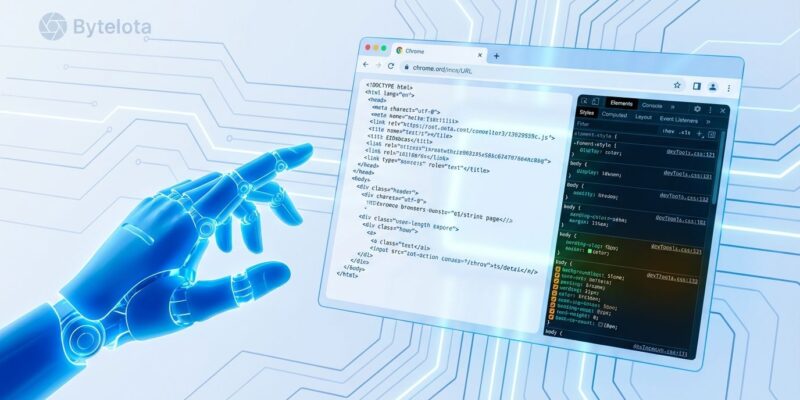
Google’s Chrome DevTools team launched an official MCP server today that gives AI coding agents direct control of Chrome browsers. The chrome-devtools-mcp server, released in public preview, connects AI assistants like Claude Code, Cursor, and Gemini CLI to Chrome DevTools Protocol—enabling real-time debugging, performance analysis, and browser automation. This marks the first official browser vendor integration with Anthropic’s Model Context Protocol standard, which hit 10,000 servers just yesterday.
Why This Matters: Google Validates AI-Native Development
This isn’t a community experiment or third-party hack—it’s Google’s Chrome team building first-class integration for AI agents. That distinction matters. When a major browser vendor ships an official MCP server, they’re betting on AI-native development as the future, not a fad.
The timing is significant. Model Context Protocol crossed 10,000 servers yesterday, establishing itself as the de facto standard for connecting AI to external tools. Chrome DevTools MCP arrives as the first official vendor integration, validating Anthropic’s protocol just as momentum peaks. Other browser vendors are watching.
What AI Agents Can Do Now
AI coding assistants have been operating with a fundamental handicap: they couldn’t see what their generated code actually does when it runs in a browser. They suggest fixes, write functions, debug errors—all while blindfolded. Chrome DevTools MCP removes that blindfold.
Through Chrome DevTools Protocol and Puppeteer, AI agents now access six capability categories: performance analysis (run traces, extract LCP and TBT metrics), page navigation (open tabs, wait for lifecycle events), user interaction (click elements, fill forms), DOM inspection (read console logs, capture screenshots), network inspection (diagnose API failures, analyze requests), and device emulation (throttle CPU, simulate mobile).
The practical impact closes the feedback loop. AI reads actual console errors instead of guessing. It tests code changes in a live browser before suggesting them. It measures real performance metrics, not hypothetical ones. When you ask Claude to debug a 404 error, it sees the failed request in Chrome’s network panel and identifies the broken endpoint immediately.
Security: Powerful But Demands Respect
Giving an AI agent control of your browser isn’t risk-free. Chrome DevTools MCP exposes whatever content appears in that browser window to the AI assistant. If you’re logged into your bank account, the AI sees it.
Chrome’s safeguards are solid. The server uses separate user data directories by default, isolating AI browsing from your personal profile. An –isolated flag runs temporary profiles that clean up after each session. Every debugging session requires explicit user permission via dialog, and Chrome displays a persistent banner warning that automated software controls the browser. Starting with Chrome 136, remote debugging is blocked on default profiles entirely.
Best practices matter here. Use –isolated for temporary sessions. Don’t browse authenticated sites with sensitive data. Treat this as a development tool, not a production browsing assistant. Chrome built safeguards, but you need to use them.
Developers Are Already Using This
Chrome DevTools MCP isn’t a preview of future features—it’s a working tool developers installed today. SEO firms are using it for automated research. Developers report web scraping through natural language, downloading academic papers in bulk, and automating complex user flow testing. One developer debugged a CSS overflow issue by asking Claude to inspect computed styles in a live browser session.
Installation takes one command: claude mcp add chrome-devtools npx chrome-devtools-mcp@latest. The server works with Claude Code, Cursor, Gemini CLI, Cline, and any MCP-compatible AI assistant. GitHub shows 315 stars gained today, ranking it #1 on trending repositories.
This Is Year Zero for AI-Native Dev Tools
Chrome DevTools MCP represents something bigger than browser automation. It signals the beginning of developer tools designed for AI consumption first, human use second. Browser vendors aren’t bolting AI features onto existing tools—they’re rethinking what developer tools look like when AI agents are first-class users.
The public preview means core features work now, with incremental rollout based on community feedback. Google states that not every DevTools feature is available yet, but they’re building based on what developers need most. That’s a pragmatic approach for a category-defining tool.
Other vendors will follow. Microsoft Edge, Mozilla Firefox, and Apple Safari teams are likely evaluating their own MCP integrations. Chrome made the first move, but this is where all browsers are headed. If you’re not thinking about AI-native tools in your development workflow, you’re already behind.