
 By ByteBot
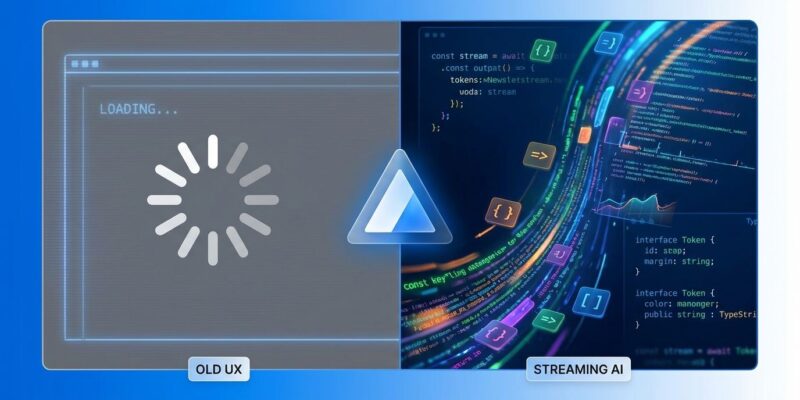
Users in 2026 expect instant, real-time responses from AI applications. Staring at a blank screen for several seconds while waiting for a complete AI response feels slow, brittle, and offline—like broken software. Token-by-token streaming transforms this experience. Text appears immediately, mimicking natural conversation and creating the instant responsiveness users demand. Vercel AI SDK 6 makes implementing production-ready streaming chat trivial, reducing what used to require complex Server-Sent Events code into about 20 lines.
Why Streaming Matters
Without streaming, your AI chat feels dead. Users type a message, hit send, and then… nothing. A blank screen. A loading spinner. Several seconds of wondering if the app broke. When the response finally appears all at once, the experience feels janky and unresponsive.
Token-by-token streaming fixes this. Text starts appearing within milliseconds. Users see the AI “thinking” in real-time as words flow onto the screen naturally. According to 9.agency, this creates three critical experiences: instant responsiveness (immediate visual feedback), human-like interaction (real-time generation), and transparency (observable reasoning instead of mysterious delays).
In 2026, streaming isn’t optional—it’s baseline UX. Users have been conditioned by ChatGPT, Claude, and Gemini to expect real-time responses. Your AI application needs streaming or it will feel amateurish.
Use streaming for conversational interfaces, code generation tools, and creative writing applications where users benefit from seeing progress. Skip it for structured data generation (JSON, SQL), fact retrieval, or background jobs where only final results matter.
Implementation: Server-Side Streaming
The server-side implementation uses streamText() from AI SDK Core. Create an API route at app/api/chat/route.ts:
import { streamText } from 'ai';
import { openai } from '@ai-sdk/openai';

export async function POST(req: Request) {
  const { messages } = await req.json();

  const result = streamText({
    model: openai('gpt-4'),
    messages,
  });

  return result.toDataStreamResponse();
}
That’s it. Ten lines of code and you have a fully functional streaming endpoint. The streamText() function handles the model API call, toDataStreamResponse() automatically manages Server-Sent Events (SSE) protocol, and you’re streaming tokens to the client.
What used to require manual SSE parsing, chunk handling, and complex state management now works out of the box. The AI SDK abstracts the painful parts.
Implementation: Client-Side UI
The client-side code is even simpler. The useChat() hook from AI SDK UI handles message state, streaming updates, and form submission automatically:
import { useChat } from 'ai/react';

export default function Chat() {
  const { messages, input, handleInputChange, handleSubmit } = useChat();

  return (
    <div>
      {messages.map(m => (
        <div key={m.id}>
          <strong>{m.role}:</strong> {m.content}
        </div>
      ))}

      <form onSubmit={handleSubmit}>
        <input
          value={input}
          onChange={handleInputChange}
          placeholder="Type your message..."
        />
        <button type="submit">Send</button>
      </form>
    </div>
  );
}
The useChat hook connects to your /api/chat endpoint by default, manages the message array, handles streaming token updates, and provides form control functions. You get a functional streaming chat in 15 lines of React code.
Production Error Handling
Here’s where most tutorials fail. Streaming functions can fail silently, swallowing errors completely. Production apps have stopped working due to rate limiting with empty logs. Users saw nothing. Developers saw nothing. The app just broke.
Always add explicit onError callbacks on both client and server.
Client-side error handling:
const { messages, error } = useChat({
  onError: (error) => {
    console.error('Chat error:', error);
    alert('Failed to get response. Please try again.');
  }
});

// Display errors to users
{error && <div className="error">{error.message}</div>}
Server-side error handling:
import { createDataStreamResponse } from 'ai';

return createDataStreamResponse({
  async execute(dataStream) {
    const result = streamText({ model, messages });
    result.mergeIntoDataStream(dataStream);
  },
  onError: (error: unknown) => {
    return `Custom error: ${(error as Error).message}`;
  }
});
Don’t ship without error handling. Silent failures kill user trust and make debugging impossible.
Multi-Provider Flexibility
The same code works with OpenAI, Anthropic, or Gemini. Switch providers by changing one import:
// OpenAI
import { openai } from '@ai-sdk/openai';
const result = streamText({
  model: openai('gpt-4'),
  messages
});

// Anthropic
import { anthropic } from '@ai-sdk/anthropic';
const result = streamText({
  model: anthropic('claude-3-5-sonnet-20241022'),
  messages
});

// Gemini
import { google } from '@ai-sdk/google';
const result = streamText({
  model: google('gemini-pro'),
  messages
});
This flexibility matters. Avoid vendor lock-in. Test different providers. Gemini leads in raw speed, OpenAI offers generous rate limits and mature tooling, and Anthropic provides excellent TypeScript support. Your choice depends on your use case.
UX Best Practices
Basic streaming works, but these patterns make it feel professional:
Progressive feedback: Disable the input field immediately when users submit. Echo their message instantly to the chat before the AI responds. This creates perceived responsiveness even if the network is slow.
Intelligent auto-scroll: Only scroll to the bottom automatically if users haven’t scrolled up to review earlier messages. Forced scrolling while users read previous content is annoying.
Interruptibility: Add a stop button. Let users cancel generation mid-stream if the response goes off track or gets too long.
Smooth rendering: Render streaming text as plain text initially. Converting markdown or syntax highlighting live causes layout recalculation on every token, creating visual jank.
Abort signal handling: Cancel model API calls when users navigate away from the page. Don’t waste tokens on responses nobody will see.
These patterns separate amateur implementations from professional products.
Getting Started
Start with the minimal example—server-side streamText() and client-side useChat(). Add error handling immediately. Then layer on UX polish.
The Vercel Academy AI SDK course covers advanced features like tool calling, structured outputs, and multi-step agents. The GitHub repository includes production examples including a full-featured chatbot template.
Production guides demonstrate real-world patterns like authentication, rate limiting, and conversation persistence.
Streaming is baseline UX in 2026. Ship it from day one.


