 By ByteBot
Apfel launched this week as an open-source CLI tool that unlocks Apple Intelligence for command-line use. Every Mac with Apple Silicon already has a 3-billion-parameter LLM built into the Neural Engine, but Apple locked it behind Siri and system features. Apfel sets it free with two Homebrew commands. The project hit Hacker News front page on April 3, 2026 with 343 points—developers love free AI they already own.
What Apfel Actually Unlocks
If you’re running macOS 26 Tahoe or newer on Apple Silicon, you already have Apple Intelligence installed. Apple built a 3-billion-parameter large language model that runs entirely on your Neural Engine—no cloud, no network calls. The catch: Apple restricts access to Siri and a handful of system features. Want to use it from the terminal? Write scripts with it? Pipe logs through it? Apple says no.
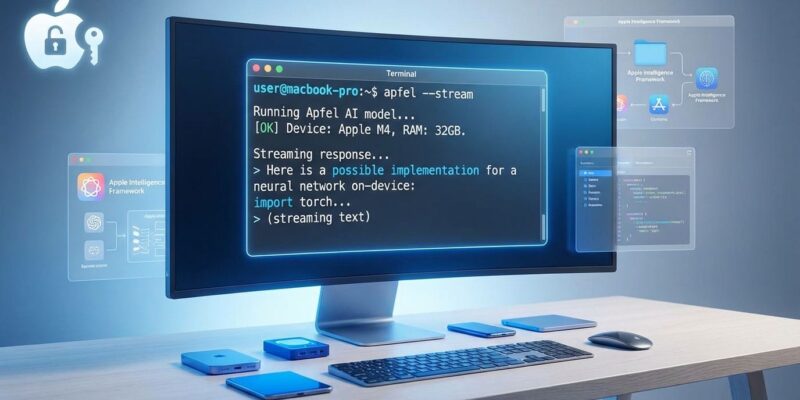
Apfel wraps Apple’s FoundationModels framework in a CLI tool and OpenAI-compatible HTTP server. Install it with two commands:
brew tap Arthur-Ficial/tap
brew install Arthur-Ficial/tap/apfel
Now you have three ways to use Apple’s on-device AI: single CLI queries, interactive chat mode, or a localhost HTTP server that mimics OpenAI’s API. All inference runs on your Neural Engine with zero network calls.
Why This Matters: Privacy and Economics
Cloud AI services like ChatGPT and Claude send your data to remote servers for processing. Every prompt, every document, every conversation leaves your machine. In contrast, Apfel processes everything on-device. Your code analysis, log summaries, and commit messages never touch the internet.
Then there’s cost. ChatGPT Plus costs $20/month. Claude Pro costs $20/month. However, Apfel is free forever because it uses AI hardware you already bought. The Neural Engine sits idle most of the time—Apfel puts it to work.
This changes the economics of mundane automation. Want AI to clean your error logs? Standardize CSV data? Generate commit messages from diffs? These tasks don’t justify cloud API costs, but they’re perfect for free on-device inference.
Shell-First Design for Developers
Apfel integrates with standard Unix workflows through pipes and redirects:
# Summarize error logs
cat error.log | apfel "Summarize these errors"

# Generate commit messages
git diff | apfel "Write a concise commit message"

# Explain complex code
cat function.py | apfel "Explain what this does"
For programmatic access, Apfel runs an OpenAI-compatible HTTP server at localhost:11434/v1. Point existing OpenAI SDK clients at this endpoint and they work without code changes—except now inference is free and private.
Realistic Expectations: Not a ChatGPT Replacement
Apfel has hard limitations. The context window is 4,096 tokens—about 3,000 words total for input and output combined. Claude offers 200,000 tokens. GPT-4 offers 128,000 tokens. Consequently, Apfel’s 4K limit means long conversations require manual context management.
Inference speed is slower than cloud APIs. On-device processing takes several seconds per response versus milliseconds for datacenter GPUs. Fine for interactive use, problematic for batch processing.
You get exactly one model: apple-foundationmodel. No configuration, no upgrades, no options. Meanwhile, Ollama offers hundreds of models. LM Studio lets you download whatever you want. Apfel gives you what Apple built.
Apple’s content filter occasionally blocks benign technical requests. The safety system is opaque and non-configurable—if it decides your prompt is problematic, you’re out of luck.
This isn’t a ChatGPT killer. It’s a free, private tool for simple automation tasks where privacy matters or cloud costs don’t make sense.
How It Compares to Alternatives
Ollama requires downloading multi-gigabyte models. LM Studio needs 4-20GB per model. In comparison, Apfel uses the AI already on your Mac—zero additional storage. Installation takes 30 seconds instead of hours.
The trade-off: Ollama gives you hundreds of model choices. LM Studio offers a polished GUI. Apfel gives you one model through a CLI—fast setup in exchange for flexibility.
Cloud APIs (ChatGPT, Claude) are more capable, faster, and have massive context windows. They cost money and send your data to servers. Conversely, Apfel is slower and more limited but free and completely private.
Developer Empowerment or Temporary Hack?
Apple built capable AI into every Mac and then restricted developer access to it. The FoundationModels framework exists—it’s a public API—but Apple clearly designed it for internal use only. Apfel uses documented Apple frameworks, so it’s not a jailbreak. Nevertheless, Apple could restrict access in a future macOS update.
For now, developers have free AI on hardware they already own. Try it for shell automation, log analysis, or quick code explanations. Don’t bet production workflows on it—Apple makes no promises about API stability. But for mundane tasks where privacy matters and cloud costs don’t make sense, Apfel delivers exactly what it promises: the AI you already paid for, finally accessible from your terminal.