 By ByteBot
OpenAI’s Agents API is now open to every developer with an API key. The API entered public beta on September 10, and computer use was added at DevDay on September 29. In short: OpenAI has productized the scaffolding most teams were building themselves — sessions, tool orchestration, subagent coordination, context compaction — and wrapped it in a single managed endpoint. If you’ve spent the last year hand-rolling agent infrastructure on top of the Responses API, this is worth your attention today.
What the Agents API Actually Manages
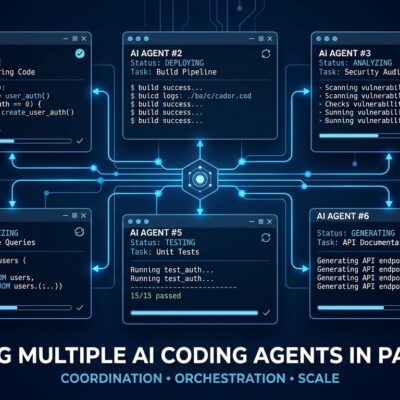
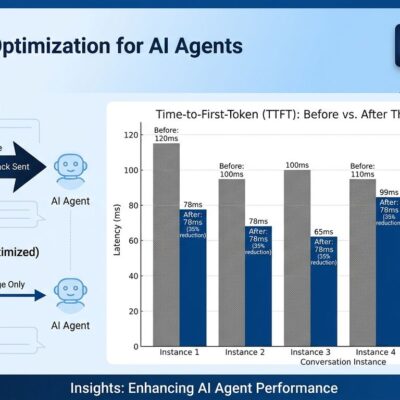
The traditional agent loop looks deceptively simple on paper: call the model, process the output, call tools, loop. In practice, teams end up building substantial infrastructure around it — state persistence across turns, context window management over hours-long sessions, parallel subagent routing, session reconnect logic. One team that migrated from custom orchestration to the Agents API reported an 86% reduction in failed responses. Another saw a 4x latency improvement from built-in parallel task handling.
The Agents API bundles four things: the agent (model plus instructions), the session (durable state across turns and devices), the sandbox (isolated compute — OpenAI-hosted, your private VPC, or nine partner platforms including Vercel, Cloudflare, and E2B), and the tools (web search, code execution, MCP, custom functions, and now computer use). You describe the task. OpenAI runs the loop.
Computer Use: What DevDay Added
The September 29 addition is the most consequential: agents can now interact with software UIs directly. Browser automation, desktop control, visual regression checks — all programmatically available. The key design decision OpenAI made is mandatory approval gates. Computer use always pauses and waits for your explicit approval before the agent takes a browser or desktop action. That’s the right call. Autonomous agents with unrestricted UI access are a security incident waiting to happen, and the approval model keeps humans in the loop without requiring a full re-architecture.
How to Use It Right Now
Every request requires the OpenAI-Beta: agents=v1 header — it won’t work without it. The core endpoint is POST /v1/agents/sessions. Here’s the minimal version:
curl https://api.openai.com/v1/agents/sessions \
  -H "OpenAI-Beta: agents=v1" \
  -H "Authorization: Bearer $OPENAI_API_KEY" \
  -H "Content-Type: application/json" \
  -d '{
    "agent": {
      "model": "gpt-6-astra",
      "instructions": "Write clean code, run it, report output"
    },
    "environment": { "type": "openai_hosted", "container_size": "small" },
    "input": "Create and run a script to show current directory structure",
    "stream": true
  }'
Sandbox sessions run /bin/bash.03 to /bin/bash.48 per 20 minutes depending on container size — there is no additional API fee beyond tokens and tool calls. If you are watching costs, gpt-6.1-sol is worth testing: it runs at one-fifth the token price of gpt-6-astra and holds up well on most coding and task-execution workloads.
The Hard Limit: US Data Residency Only
This is the blocking issue for a significant portion of the developer community. The Agents API currently supports US data residency only and does not support Zero Data Retention — including when using a self-hosted sandbox. If your product is subject to GDPR, HIPAA, or operates in a jurisdiction with strict data localization requirements, you cannot use the Agents API yet. OpenAI has not announced a timeline for EU residency or ZDR support. The Responses API remains the right path for compliance-sensitive workloads — it is ZDR-eligible with regional endpoints at eu.api.openai.com.
Agents API vs Responses API: The Short Version
Use the Agents API when you want OpenAI to manage orchestration and your workload does not have residency constraints. Use the Responses API when you need ZDR, non-US data residency, or turn-by-turn control of the loop. Use the Agents SDK when your codebase needs to own every decision point. One important clarification: the Responses API is not deprecated. The thing being shut down November 30 is Agent Builder inside AgentKit — a completely separate product.
The Bottom Line
For most teams building agent workflows in 2026, the Agents API is the right default. The instinct to build custom infrastructure for “control” usually adds cost and bugs without adding value. The managed loop is the unlock. If you are not in a regulated industry, there is no good reason to be running your own session management. Start with a small container, test gpt-6.1-sol on your workload, and see if the failure rate drops. It probably will.