
 By
Apple is announcing its first touchscreen MacBook Pro tomorrow at the “Pro and Tell” event in Los Angeles. The hardware ships the same day. Apple has published zero official touch APIs or HIG guidance for macOS. If you build software that runs on Mac, you have roughly 24 hours before real users start putting their fingers on it.
What’s Actually Shipping
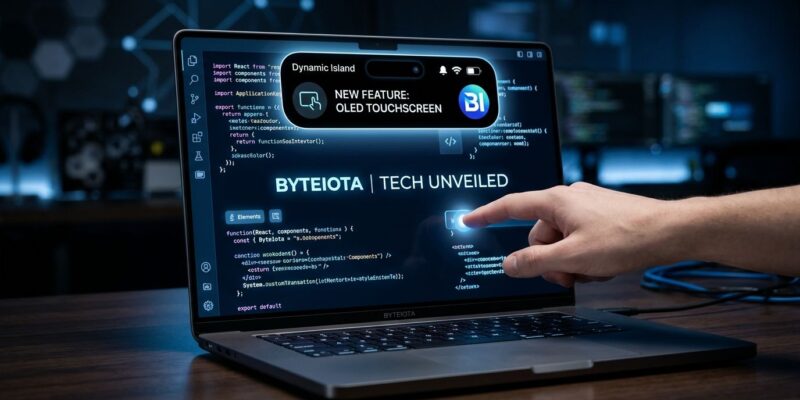
The October 28 lineup includes three machines. The redesigned 14-inch and 16-inch MacBook Pro models get OLED displays, a Dynamic Island replacing the notch, and a touch layer — running M5 Pro and M5 Max chips (the same silicon Apple introduced in March). The entry-level 14-inch MacBook Pro gets an M6 chip but no OLED and no touch; it’s a conventional performance bump. The M6 iMac rounds out the set: same 24-inch chassis, new colors, Wi-Fi 7, Bluetooth 6, starting around $1,499. Pricing for the OLED touchscreen models is expected to start at $2,800 for the 14-inch and $3,300 for the 16-inch.
macOS 27.2 beta 3 already contains explicit touch gesture code: PXGTouchDwellGestureRecognizer in Photos, ICTouchPressGestureRecognizer in Notes, a “touch sentinel recognizer” in Safari, and a dragTouch capability in Quick Look. The Dock gets long-press animations. Tapping the menu bar auto-enlarges controls. The infrastructure is there — the developer documentation is not.
Apple Hasn’t Told You Anything
There are no published touch APIs for macOS. No HIG updates. No developer sessions or notes. As of today, macOS treats your finger exactly like a mouse cursor — there is no native touch intelligence layer bridging the gap between your physical digit and the digital UI. Apple is shipping mass-market touch hardware without first giving developers the runway to adapt their software.
This is a pattern. When Dynamic Island landed on iPhone in 2022, it shipped with no Live Activities equivalent on macOS — and four years later there is still no native API for putting content beside the Mac’s notch. The pattern is: hardware ships, the ecosystem scrambles, official guidance arrives at WWDC. Except this time the scramble affects millions of Mac apps that developers assumed would never be touched.
The CSS Hover Trap
For web developers, the most immediately breakable thing is hover-only navigation. Every Mac currently reports pointer: fine and hover: hover in CSS media queries. Dropdown menus, tooltips, and interactive states that only activate via :hover work because there is always a cursor. On a touchscreen Mac, that assumption may no longer hold — and Apple has not published how Safari will report these values on the new hardware.
The fix is straightforward: audit any :hover-gated interactive element and add a :focus-within or :focus-visible fallback. On the JavaScript side, replace mouseover/mouseout event listeners with pointerover/pointerleave — the Pointer Events API handles both mouse and touch without branching.
Native App Hit Targets
macOS apps are built for cursor precision. A 16-pixel sidebar icon is navigable with a trackpad; it is not navigable with a finger. Apple’s iOS HIG has required 44pt minimum tap targets since 2007. macOS has no equivalent requirement — and it shows. Dense toolbar apps, admin dashboards, code editors, and creative tools are the most exposed. AppKit apps have no touch safety net; SwiftUI apps get partial protection depending on how controls were built.
Run Accessibility Inspector on your app and flag every interactive element under 44 points. It won’t guarantee a perfect touch experience, but it will surface the most obvious friction points before users do.
Testing Before the Hardware Arrives
You don’t need to wait for a unit. Xcode 15 and later includes touch simulation for macOS apps in Simulator. For web apps, test @media (pointer: coarse) and @media (hover: none) branches in your browser DevTools today — even if they don’t currently activate on macOS, they represent the defensive path. For Electron and Tauri apps, the behavior depends entirely on the WebKit or Chromium version bundled with your build; test scrolling, text selection, and drag operations specifically. The developer community is already sharing early findings — worth tracking.
The Bottom Line
Apple delayed touchscreen Mac for 15 years, then shipped the hardware without a developer briefing. The users buying a $3,000 OLED MacBook Pro are early adopters who will test your app with their fingers on day one. The ones who find broken hover menus and tap targets the size of a pixel will leave a review about it. Test now, or inherit the complaints later.


