 By
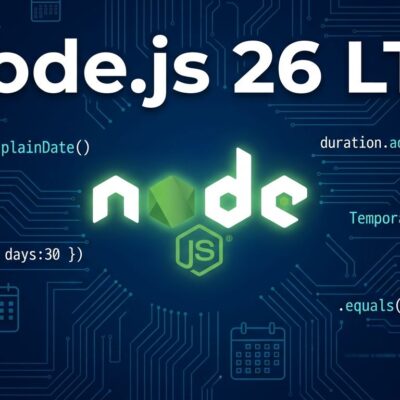
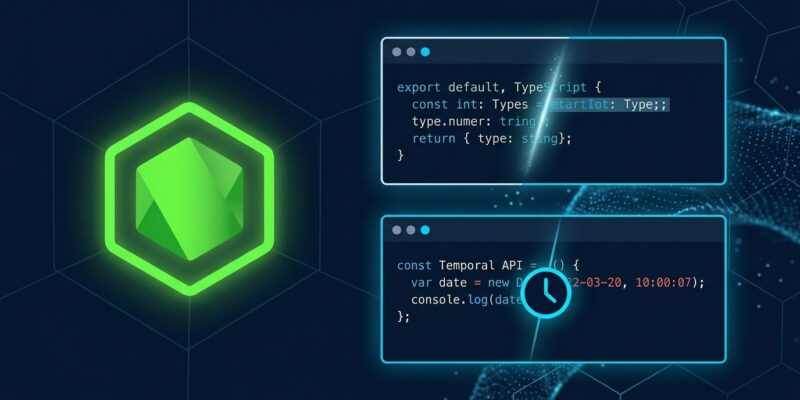
Node.js 26 enters Active LTS on October 28, 2026. That date matters because it turns stable TypeScript type stripping — running .ts files directly without a build step — into something you can actually bet a production system on. The experimental flag is gone. The Temporal API is on by default. But if your codebase uses TypeScript enums, you have a decision to make before you upgrade.
TypeScript Without a Build Step Is Now LTS
Node.js has run .ts files natively since version 22.6 via type stripping: it erases type annotations and runs the JavaScript that’s left. The tool doing that work is amaro, a thin wrapper around the SWC transform engine. Your stack traces keep accurate line numbers. No tsc. No bundler. No config.
What LTS status actually changes is the commitment. The --experimental-strip-types flag is gone from Node 26. This is stable API territory now, not a preview you test on Fridays.
The catch — and it matters — is that type stripping is erasure only. Node does not compile TypeScript. Four constructs that generate runtime JavaScript simply do not work:
- Enums —
enum Direction { Up, Down }compiles to a JavaScript object with reverse mappings; you can’t just erase it - Namespaces with runtime values
- Constructor parameter properties — the
constructor(private name: string)shorthand - Import aliases —
import Alias = Some.Namespace
Node 26 also removed --experimental-transform-types, the escape hatch that previously handled these cases. It is gone with no direct replacement. Your options are to precompile with tsc, use a loader like tsx, or refactor to erasable syntax.
For enums specifically, the migration is straightforward:
// Before
enum Status {
  Draft = "draft",
  Published = "published",
}

// After (works with Node 26 type stripping)
const Status = {
  Draft: "draft",
  Published: "published",
} as const;
type Status = (typeof Status)[keyof typeof Status];
One more thing worth knowing: Node ignores tsconfig.json entirely. Path aliases, target downleveling, custom compiler options — none of them apply. If your project relies on paths mappings, type stripping alone will not get you there.
Temporal Is the New Date Object
Node 26 ships Temporal enabled by default — no flag, no polyfill, just there. It is the TC39 Stage 4 proposal that finally replaces the Date object, and V8 14.6 includes it natively.
The Date object is notoriously broken in ways that are easy to forget until they bite you in production: months are zero-indexed, arithmetic wraps incorrectly across month boundaries (Jan 31 + 1 month = March 3), setters mutate in place, and recurring jobs drift across daylight saving transitions. Temporal fixes all of this.
The new types — PlainDate, ZonedDateTime, Instant, Duration — are immutable and each model a distinct kind of time:
// Today's date
const today = Temporal.Now.plainDateISO();

// Add a month correctly (respects Feb, leap years, etc.)
const nextBilling = today.add({ months: 1 });

// Explicit timezone — no DST drift
const meeting = Temporal.ZonedDateTime.from({
  year: 2026, month: 10, day: 28,
  hour: 9, minute: 0,
  timeZone: 'America/Los_Angeles',
});
Date is not removed. Existing code continues running. Temporal is the path forward for new code where correctness under DST and calendar edge cases actually matters.
What Actually Breaks on Upgrade
Before you run nvm install 26, a few things worth checking in your codebase and infrastructure:
- Native addons —
NODE_MODULE_VERSIONis now 147. Packages likebcrypt,sharp, andbetter-sqlite3need a freshnpm installto rebuild native binaries. Skip this step and they will segfault. http.Server.prototype.writeHeader()is removed. The replacement iswriteHead(), which has been the documented API for years.- Legacy stream internals —
_stream_readable,_stream_writable, and the rest of the_stream_*modules are gone. If anything in your dependency tree imports these directly, it will throw on startup. - Corepack is not bundled. If your CI or Dockerfile contains
corepack enable, that step will fail. Install Corepack explicitly first. - Undici 8 stricter header validation — if you are making HTTP requests with non-standard headers that previously slipped through, expect failures. Check your
fetch()usage and any direct Undici clients.
Node 22 Is Running Out of Time
Node 22 LTS reaches end-of-life in April 2027 — roughly six months from Node 26 LTS day. If you are still on Node 20, that line already passed EOL. The window to migrate at a comfortable pace, rather than a rushed one, is now.
The practical approach: add Node 26 to your CI matrix before October 28 while it is still optional. Watch your test results. Upgrade one low-risk service to production first and observe memory, latency, and error rates for a week. The 22 to 26 jump skipping Node 24 entirely is supported and fine.
A medium-sized production codebase realistically takes four to six weeks to migrate — mostly testing and staged deployment, not code changes. The code changes, outside of the enum situation and native addon rebuilds, are usually minimal. Start with the official Node.js 26 release notes and the Node.js Design Patterns upgrade guide to build your checklist.