 By ByteBot
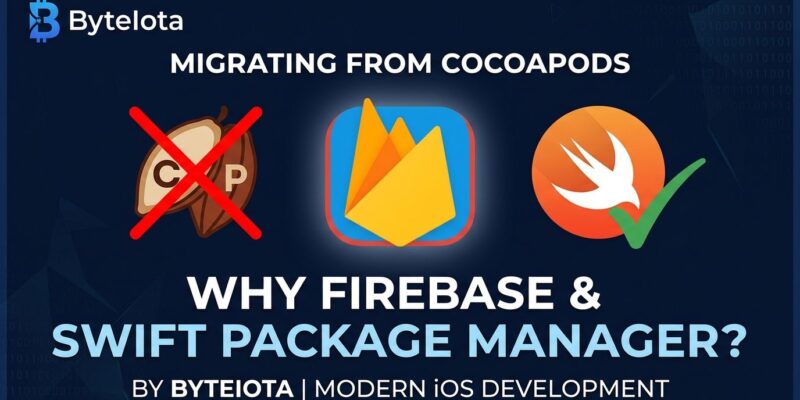
Firebase 13.0.0 shipped on October 7, 2026, and it comes with a deadline. If your iOS app still installs Firebase via CocoaPods, your update pipeline is already blocked. Firebase 12.19.0 is the last version on CocoaPods. The public registry goes read-only on December 2, 2026 — eight weeks from now. The good news: the migration is straightforward, and you can run SPM and CocoaPods side-by-side during the transition, which means there is no reason to wait.
What Changed in Firebase 13
Google made CocoaPods distribution a past-tense feature. Firebase 13+ is distributed exclusively through Swift Package Manager or binary distributions. The reasons are practical: CocoaPods has been in de facto maintenance mode for years, and SPM is Apple’s official, first-party package manager — no Ruby runtime, no Podfile, no CocoaPods install step in CI.
The bottom line for your project: you need to move, and December 2 is the hard deadline. After that date, CocoaPods stops receiving new Firebase versions. Existing pods remain accessible but frozen at Firebase 12. See the official Firebase CocoaPods deprecation guide for the full migration documentation.
How to Migrate: The 5-Step Guide
The migration takes 20–30 minutes on a typical project. These steps assume Xcode 26.2 or later, which is required for Swift tools 6.2.1.
- Run
pod deintegratein your project root. This removes all CocoaPods artifacts from the .xcodeproj cleanly. - Close the .xcworkspace file. CocoaPods generated it. Open the .xcodeproj directly in Xcode instead.
- Add Firebase via SPM. Go to File > Add Package Dependencies and enter the firebase-ios-sdk repository URL. Select the Firebase packages your app uses.
- Update imports if needed. Most import statements remain unchanged —
import Firebase,import FirebaseAuth, and so on. Verify your build compiles cleanly. - Delete Podfile and Podfile.lock. Once your build is confirmed working, remove these files. They serve no purpose in an SPM-only project.
One practical note: SPM and CocoaPods can coexist in the same project. If you have other dependencies still on CocoaPods, you do not need to migrate everything at once. Migrate Firebase first, keep the rest, and clean up the remaining CocoaPods dependencies on your own schedule.
Other Breaking Changes Worth Knowing
CocoaPods is the headline, but Firebase 13 ships four other breaking changes.
FirebaseMLModelDownloader Is Gone
If you are using on-device model downloading via FirebaseMLModelDownloader, that library has been removed entirely. Consult the Firebase Apple SDK release notes for migration paths to alternative on-device ML approaches.
Platform Minimums Bumped
iOS 15.0, tvOS 15.0, macOS 11.0, and watchOS 8.0 are now the floors. If you are still supporting iOS 14, Firebase 13 is not available to you — stay on Firebase 12 until you drop iOS 14 support.
JavaScript SDK: VertexAIBackend Is Removed
The VertexAIBackend class and BackendType.VERTEX_AI are gone. Use AgentPlatformBackend and BackendType.AGENT_PLATFORM instead. The rename is one line; the only functional difference is the default region, which changes from us-central1 to global. If your application requires a specific region, pass the location parameter explicitly.
// Before (Firebase 12)
import { VertexAIBackend } from 'firebase/ai';
const ai = getAI(app, { backend: new VertexAIBackend() });

// After (Firebase 13)
import { AgentPlatformBackend } from 'firebase/ai';
const ai = getAI(app, { backend: new AgentPlatformBackend() });
Firebase AI Logic: Part Type Restructured
The Part type in the JavaScript SDK was refactored into a proper discriminated union. If you are building directly on the Firebase AI Logic API — not just using the higher-level chat interface — review the JavaScript SDK release notes for the full type changes. The ChatSession interface is also now exported directly.
React Native and Expo: You Cannot Self-Migrate Yet
Here is where the advice changes. React Native apps that use @react-native-firebase install Firebase via CocoaPods under the hood. There is no SPM migration path available in the library today. Invertase is tracking this in GitHub issue #9010, and Expo managed apps are discussed in the related Discussion #9009.
The practical guidance for React Native developers: pin Firebase 12.19.0, watch the react-native-firebase repository for SPM integration work, and do not attempt a manual workaround. When Invertase ships SPM support, follow their migration guide.
Act Now, Not in December
The eight-week window before December 2 is the easiest time to migrate. SPM and CocoaPods coexist cleanly, so there is no big-bang migration risk — you can test, verify, and revert if something breaks. Waiting until the deadline means doing this under pressure, with no fallback. A 20-minute migration done this week beats an emergency fix on December 1.