 By ByteBot
AI coding has been a solo sport. One developer, one agent, one terminal — and the rest of the team sees the commit but never the conversation. Salesforce changed that on August 20 with Slack Code: dedicated channels where AI coding agents work in the open, with the whole team watching, steering, and signing off before anything ships.
What Slack Code Actually Does
The setup is simple. Tag a coding agent from any Slack conversation and it spins up a dedicated code channel. Inside that channel, there are four tabs: Conversation, Plan, Code Diffs, and Live Preview. Everyone on the team sees what the agent sees. Anyone can redirect it mid-task. Work ships only after the team approves. When the job is done, the channel auto-archives — but the audit log stays.
Slack Code is available on any Slack plan starting now, with no additional charge for the channel type itself. You still need subscriptions to the individual agents, but the infrastructure is free.
Five Agents at Launch
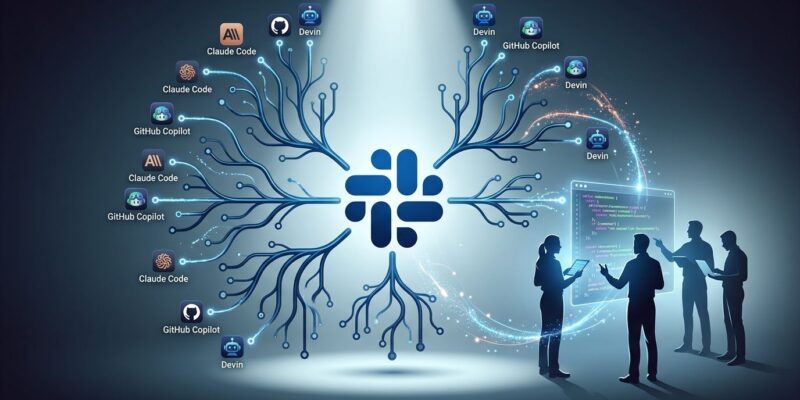
Slack Code launched with five partner agents: Anthropic’s Claude Code, Cognition’s Devin, GitHub Copilot, ChatGPT, and Vercel’s agent. GitHub separately released its own Copilot-in-Slack public preview the following day, letting any team @-mention the bot in an existing channel for ad-hoc questions, bug triage, and PR creation. The two experiences are distinct — Slack Code is structured with project channels; Copilot-in-Slack is conversational — but the direction is the same.
The Part That Matters: Agents Are Now Visible
Terminal agents — Claude Code, Cursor, Codex, take your pick — are invisible to the team. One engineer opens the session, directs the agent, and commits the result. Everyone else sees the diff. That works fine for individual productivity. It does not work for teams that need to review, approve, or learn from what the agent is doing.
Slack Code inverts that. Non-technical teammates — product managers, designers — can follow along and weigh in on scope without opening a terminal. Junior engineers see how senior engineers direct agents in real time. Compliance teams get a built-in audit trail for every agent session. This is not a marginal improvement to the terminal workflow; it is a different philosophy about where the constraint actually lives.
Salesforce framed it plainly: writing code used to be the scarce, expensive step. Now it’s cheap. The constraint has moved upstream to human judgment. Slack Code is a bet on that premise.
What to Watch For
The obvious concern is overhead. Research shows agents achieve roughly 50% lower success rates when collaborating compared to working solo — more interruptions, more context-switching, more people redirecting mid-task. Solo terminal use will remain faster for individual engineers working on well-scoped problems. Slack Code is not optimized for speed; it is optimized for visibility and oversight, which is what regulated industries, larger teams, and non-homogeneous dev teams actually need.
The other thing worth noting: this is Salesforce’s play to make Slack the coordination layer for AI development — not a single proprietary agent, but a neutral platform where Claude, Devin, Copilot, and others all show up. Microsoft Teams does not have an equivalent feature. Slack is the first mover here, and that matters for teams evaluating long-term platform bets.
How to Get Started
Slack Code is live now on any Slack plan. Tag an agent in a channel or DM and the code channel opens automatically. The Salesforce introduction page has setup details for each supported agent. If your team already uses Claude Code or Devin, this requires no new tooling — just a Slack workspace and your existing agent credentials.
The terminal is not going away. But AI coding is about to become a team sport, and Slack just built the field.