 By ByteBot
Aspire 13.5 shipped on August 18 and it’s not a headline grabber — no new runtime, no paradigm shift. What it is: a focused developer experience release that closes four gaps developers have been filing issues about since Aspire 13.0. Two of those gaps — Kubernetes persistent volumes and TypeScript AppHost parity — were real enough to push teams back to raw YAML and separate toolchains. Both are now handled inside Aspire’s app model, where they should have been.
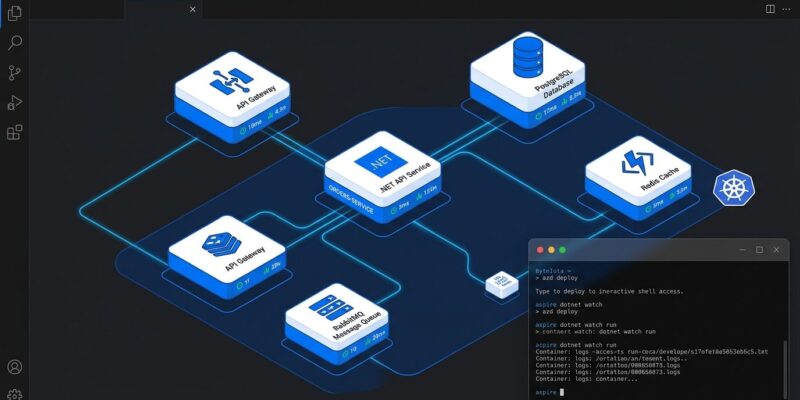
Quick context if you’re not already in the Aspire ecosystem: Aspire is Microsoft’s framework for orchestrating distributed .NET applications locally, with observability and deployment baked in. Think Docker Compose, but type-safe, with a built-in dashboard, zero-config OpenTelemetry, and the ability to generate Kubernetes manifests or Bicep templates from the same AppHost definition. If you’re building anything with more than two services in .NET, it’s worth knowing what changed.
Kubernetes Persistent Volumes: Finally in the App Model
This was the most-requested missing piece. Before 13.5, stateful Kubernetes workloads — your PostgreSQL container, your Redis cache, anything that writes to disk — required escaping Aspire entirely and maintaining a separate PVC YAML file. That defeated the point of having a code-first app model.
The fix: a new KubernetesPersistentVolumeResource type with a .WithPersistentVolume() extension. You configure storage class, capacity, and access mode in C# or TypeScript, and Aspire handles the rest at deployment time.
var postgres = builder.AddPostgres("postgres")
    .WithPersistentVolume("pg-data", "/var/lib/postgresql/data");
That’s one line replacing a PersistentVolumeClaim YAML block and a corresponding volume mount in your deployment manifest. The volume name, path, and binding are all expressed in the same language as the rest of your AppHost. Aspire parameters work here too — storage class and capacity can be environment-specific without touching the AppHost source.
For teams running production-adjacent staging environments on Kubernetes, this closes the last major gap keeping them in hybrid Aspire-plus-Helm setups. See the Kubernetes persistent volumes guide for the full API surface.
Interactive Terminals: Shell Into Any Resource From the Dashboard
The new .WithTerminal() extension attaches a live interactive terminal session to any resource inside the Aspire dashboard. This is less about debugging (there’s a caveat on that) and more about the class of services that need actual interaction — TUI agents, diagnostic consoles, curses-style interfaces, or containers you’d normally have to docker exec into separately.
var diagnostics = builder.AddProject<Projects.DiagnosticsConsole>("diagnostics")
    .WithTerminal();
Multiple viewers can attach to the same session simultaneously — a dashboard tab and a local terminal can both watch the same process. The CLI side: aspire terminal list to see active sessions, aspire terminal attach <name> to connect from a shell.
The caveat matters: WithTerminal runs the resource as a plain process. The debugger does not attach automatically, because Aspire cannot currently run a process under a debugger and a pseudo-terminal at the same time. If you need the debugger, don’t apply WithTerminal. The WithTerminal documentation covers the tradeoffs.
TypeScript AppHost Is Now GA
TypeScript AppHosts graduated from preview to generally available in 13.5, with the capabilities that were still C#-only now closed out. New additions: withContainerFiles to copy host files into container resources (with owner, group, and umask options), custom health checks, and full Interaction Service support including file uploads and progress dialogs.
For teams running Next.js frontends, Bun workers, or Node.js APIs alongside .NET services, this matters. Aspire can now orchestrate your entire stack from a single AppHost — no separate compose file for the JS side.
If you have an existing TypeScript AppHost, run the migration command before upgrading:
aspire update --migrateThis moves your apphost.ts to the current apphost.mts format. The old format still works but triggers a warning, and the newer format better aligns with TypeScript module conventions that prevent linter conflicts.
CLI on Homebrew, WinGet, npm, and Nix
The Aspire CLI is now distributed through every major package manager:
# macOS
brew install aspire

# Windows
winget install Microsoft.Aspire

# Node.js / CI pipelines
npm install -g @microsoft/aspire-cli

# Nix
nix profile add github:microsoft/aspire#aspire-cli
aspire update --self still works regardless of how you installed. If you installed via npm, the update notifier prints the npm update command rather than overwriting the managed binary. This is the kind of detail that signals actual care about the install experience, not just functionality.
Breaking Changes You Need to Act On
Don’t upgrade without reading this section. Aspire 13.5 carries three breaking changes.
First: ServiceProvider is renamed to Services on all hosting context types. The old property is marked obsolete and will be removed in a future version. Search your AppHost code for ServiceProvider before upgrading.
Second: the dashboard’s built-in AI Assistant chat has been removed. If you were using it, it’s gone — no stated replacement. This appears to be a deliberate simplification as Aspire positions itself as infrastructure tooling rather than an AI assistant platform.
Third: the GitHub Models integration is deprecated. If you’re using it, migrate to a direct API integration.
Verdict
Aspire 13.5 is not the release that will convert skeptics. But if you’re already using Aspire and hitting the edges — stateful Kubernetes workloads, mixed .NET/Node stacks, install friction across your team — this release directly addresses those complaints. The Kubernetes persistent volumes addition, in particular, is the kind of fix that should have been day-one. Its presence now makes the Aspire-for-production story considerably more defensible.
For full release notes and the complete breaking change list, see the Aspire 13.5 release announcement and the InfoQ coverage.