 By
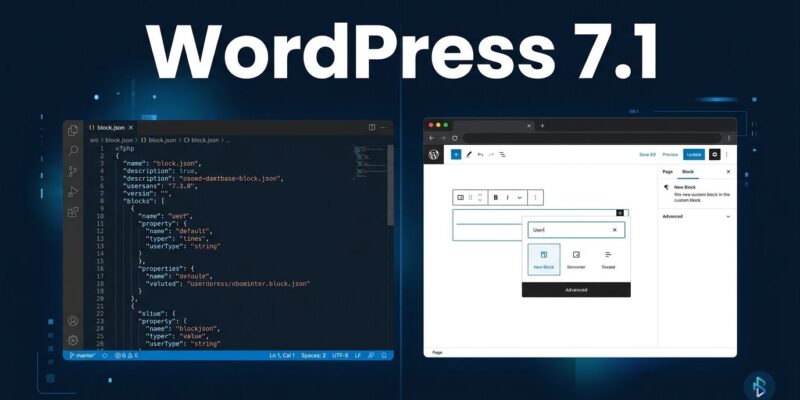
By WordPress 7.1 shipped today at WordCamp US in Phoenix. For most users, it’s a solid upgrade: tabbed content, audio playlists, better media handling. For developers with custom blocks or plugins: one change will break your code when your users update. The post editor is now always iframed — no exceptions, no opt-out, regardless of your block’s API version. Here’s what changed, what breaks, and what you need to do today.
The Breaking Change: No More Escape Hatch
WordPress 7.0 enforced the iframed editor for blocks on API version 3 but allowed legacy v2 blocks to opt out. In 7.1, that grace period ends. The post editor is always iframed, for every block, regardless of apiVersion in your block.json. Staying on v2 no longer opts you out — it just means you get the console warning and the breakage.
What breaks: any block that references the global window or document directly, any script expecting the admin DOM context, any stylesheet relying on admin wrapper selectors to reach editor elements. The iframe is an isolated render container with its own document. Your admin JS doesn’t automatically cross that boundary.
How to check if you’re affected: open DevTools on the post editor and look for iframe[name="editor-canvas"]. Or run element.ownerDocument !== document — if it returns true, your element is inside the iframe. The fix is straightforward but requires testing:
- Update
apiVersionto3in yourblock.json - Replace any direct
documentorwindowaccess withelement.ownerDocumentinsideuseEffect - Re-route editor asset enqueueing through
enqueue_block_editor_assetsorblock_editor_settings - Test meta boxes — if they bridge into the editor, verify iframe context isolation
All core blocks have been on API v3 since WordPress 6.3. The migration for most blocks is a one-line change in block.json followed by a testing pass. For complex blocks with admin JS dependencies, budget more time. The official iframed editor dev note has the complete migration checklist.
SVG Icon API: Finally Open to Everyone
WordPress 7.0 introduced the SVG Icon API but kept it locked to core. Version 7.1 opens it to third parties with two new public functions: wp_register_icon_collection() and wp_register_icon(). Agencies and plugin builders can now ship branded icon sets that appear natively in the Icon block, Navigation block, Breadcrumbs, and Details block — without writing a custom block.
add_action( 'init', function () {
    wp_register_icon_collection( 'my-icons', array(
        'label'       => 'My Icons',
        'description' => 'Icons for my plugin.',
    ) );

    wp_register_icon( 'my-icons/star', array(
        'label'   => 'Star',
        'content' => '<svg xmlns="http://www.w3.org/2000/svg" viewBox="0 0 24 24"><path d="M12 2l3 7h7l-5.5 4.5L18 21l-6-4-6 4 1.5-7.5L2 9h7z"/></svg>',
    ) );
}, 20 );
Icons are namespaced by collection slug — my-icons/star never collides with core/star. SVG sanitization is handled by WordPress. A REST endpoint at /wp-json/wp/v2/icons exposes the full registry for headless consumption. Full documentation at the Make WordPress Core dev note on SVG icons.
Responsive Styling and Pseudo-States in the Editor
If you’ve maintained a stylesheet just to handle button hover states or responsive block behavior, 7.1 makes a chunk of it redundant. Pseudo-state styling — :hover, :focus, :active — is now a native editor control, configurable in Global Styles or per-block. Per-breakpoint block styling lands in the same release, so responsive overrides that previously required custom CSS are now editor UI.
The practical implication: audit your plugin or theme stylesheet for any CSS you added specifically because the editor didn’t handle these states natively. Duplicating what WordPress 7.1 now handles produces conflicts, not consistency.
Client-Side Media Processing Removes a Hosting Bottleneck
WordPress 7.1 runs image decode, resize, and encode in the browser via WebAssembly (wasm-vips) before the upload hits the server. The result: format support is no longer limited by what your host’s image library can handle.
New in 7.1: HEIC files (the default iPhone format) are converted to JPEG in the browser before upload, with the original preserved as a companion file. AVIF uploads work even on hosts without server-side AVIF support, because decoding happens client-side. UltraHDR JPEGs preserve their gain maps through every sub-size generated. GIFs can be converted to video for a smaller footprint.
For developers: the filter wp_client_side_media_processing_enabled lets you disable it if needed. The client-side media dev note covers the technical details, including how sub-sizes are handled and what the wasm-vips dependency means for your build.
New Blocks: Tabs and Playlist
Two blocks that have sustained an entire plugin ecosystem for years are now core. The Tabs block delivers tabbed content panels with full keyboard accessibility — the pattern every agency has built or bought a plugin for. The Playlist block adds native audio playlists with waveform visualization, replacing the old shortcode with a properly designed block. Shuffle, skip, and additional waveform styles are roadmapped for 7.2.
If you’re maintaining a plugin that provides either of these features, now is a good time to evaluate your roadmap. Block plugin developers should also check whether their Tabs or Playlist block implementations will conflict with core block names.
What Was Deferred
React 19 migration is deferred again — the ecosystem implications are still being worked through. Real-time collaborative editing and hiding the Classic block from the inserter were also pushed. The Classic block isn’t going anywhere in 7.1; existing sites won’t break.
The full picture is in the WordPress 7.1 Field Guide, which covers every developer-facing change: the Abilities API expansions, DataViews and View Config APIs, the design system updates, accessible tooltips, and more. If you maintain anything that touches the WordPress editor, it’s required reading. The official developer roundup also provides a solid entry point for each area.