 By
By VS Code 1.128, released July 8, turns the Agents window into a multi-session workspace. One Claude agent session can now hold multiple parallel chats — each with its own history, title, and model selection. Fork from any turn, compare approaches side by side, run a test-writing chat alongside your feature implementation. It is the first mainstream IDE to treat parallel agent threads as a first-class primitive. And that is not even the biggest change in this release.
Multi-Chat Agent Sessions Change the Mental Model
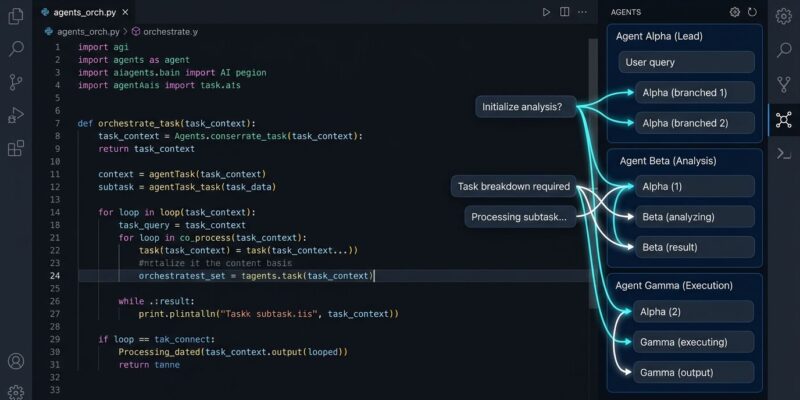
Before 1.128, forking a conversation in the Agents window opened a new top-level session. You lost the grouping, lost the shared context, and ended up with a cluttered session list. Starting today, forks create peer chats grouped under the parent session. Each peer chat runs independently, keeps its own history, and restores together with the session on restart.
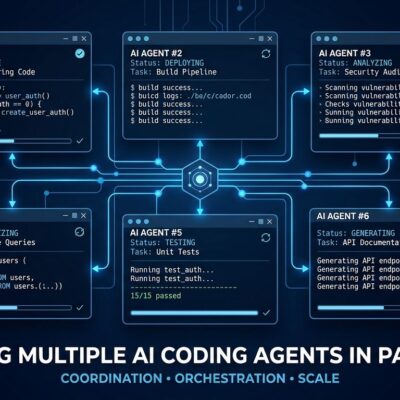
The practical workflow this unlocks: your main chat adds a /health endpoint to an Express app. A peer chat writes tests for it. A forked chat explores an async implementation alternative. All three are visible under the same session, all running concurrently. Think of it as Git branches for your AI sessions — that mental model is accurate and useful.
Keyboard navigation is keyboard-first throughout: create a new chat, fork from a turn, switch between peers, or open a searchable picker for open and closed chats, all without touching the mouse. Each chat keeps its own model selection, so you can run a fast model for test generation alongside a frontier model for complex architecture work in the same session.
Copilot Vision Is GA — And the Admin Policy Is Gone
Copilot Vision — attaching images and PDFs to Chat — reached general availability on July 1 and ships enabled in 1.128. Supported types: JPEG, PNG, GIF, WebP, and PDF. Attach via paste, drag, or drop. The GitHub Changelog confirms it is available to all Copilot subscribers: Free, Pro, Pro+, Business, and Enterprise.
The bigger news is the policy change. Previously, enterprise users on Free tier needed an IT admin to enable the Copilot Vision policy before anyone in the org could attach images. That friction is gone. No admin ticket required.
The practical workflows are obvious: paste a stack trace screenshot and ask Copilot to fix it, drop a PDF spec and say “implement the API described on page 4,” drag in a design mockup and get a component. The feature was already capable. The admin gate was the bottleneck.
System-Wide Keyboard Shortcuts
VS Code 1.128 can now register OS-level keybindings that fire even when VS Code is not focused. Add "systemWide": true to any keybinding in your keybindings.json:
{ "key": "cmd+shift+a", "command": "workbench.action.openAgentsWindow", "systemWide": true }Set that, and hitting Cmd+Shift+A from a browser tab, a terminal, or a Slack window opens the VS Code Agents window immediately. Windows 11 and macOS are confirmed; Linux details are pending in the official release notes.
Enterprise Controls: OpenTelemetry Export and BYOK
Platform teams managing AI tooling spend have a new governance lever. Organizations can now mandate where Copilot sends OTLP telemetry through managed-settings.json, delivered via MDM, server-managed settings, or a settings file. The config controls the export endpoint, transport protocol (otlp-http or otlp-grpc), authentication headers, and whether prompt or response content is captured — all without requiring any individual developer to set OTEL_* environment variables. The enterprise-managed OpenTelemetry export also applies to the Copilot CLI agent host, not just the VS Code extension. Auth headers are never passed through environment variables, preventing token leakage into subprocess tools spawned by the agent.
BYOK users also get precision controls. You can now set temperature and top_p per model in your config, or pass null to omit a parameter entirely and use the provider’s default. A new chat.byokUtilityModelDefault setting makes background tasks — commit message generation, chat title generation — work with custom endpoint models, which previously failed silently.
Also: Quick Chats and Browser Tab Placement
Two smaller additions worth noting. Quick Chats let you open the Agents window and ask a question without an open workspace — no folder required, no Changes pane in the way. And the integrated browser from VS Code 1.127’s browser tools now has configurable tab placement: keep it in the active editor group, lock it to a dedicated side panel, or open it in a separate auxiliary window via workbench.browser.newTabPlacement.
Update Now
VS Code 1.128 is available now via Help → Check for Updates or by downloading from code.visualstudio.com. The full VS Code 1.128 release notes cover every change. For enterprise teams, review the managed OpenTelemetry export docs before rolling out — the governance controls are opt-in but worth configuring proactively. For Copilot governance context, also see our earlier coverage of GitHub Copilot CLI in Actions.