 By ByteBot
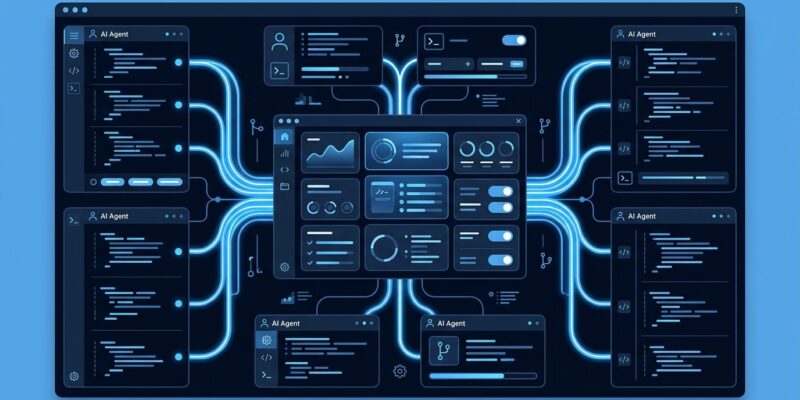
GitHub shipped the Copilot app to general availability on June 17, and calling it a UI refresh would miss the point entirely. This is a standalone desktop application — macOS, Windows, Linux — built around one premise: developers manage agents, and agents write the code. The sidebar is gone. The IDE is now optional. What replaces them is a control plane.
Parallel Agents Without the Chaos
The feature that makes this worth your attention is how the app handles parallel agent sessions. Each session runs in its own git worktree — a real, isolated copy of a branch checked out at a separate path. Separate files, separate conversation, separate task state. No manual setup, no branch juggling, no agents tripping over each other’s changes.
This sounds like a small implementation detail, but it solves a real problem. Running multiple AI agents on the same codebase in a standard IDE means context scatter: you lose track of what’s running, which change belongs to which task, and what the agent actually did. Git worktrees eliminate that entirely. You can run three sessions in parallel — one fixing bugs, one writing tests, one updating documentation — and none of them will conflict.
The My Work View: What Supervision Looks Like
The central interface is the My Work view: a single dashboard showing every active session, open issue, pull request, and background automation across your connected repositories. The question it answers is no longer “what did the agent write?” It is “what are my agents doing, and where are they stuck?”
That shift matters. When you have one AI assistant in a chat sidebar, you read its output. When you have several agents running in parallel across multiple repos, you direct traffic. The My Work view is built for the second scenario, not the first.
Agent Merge and Cloud Automations: From Code to Shipped
Generating code is the easy part. Getting it merged is where agent workflows have historically broken down. Agent Merge addresses that directly. Once an agent opens a pull request, Copilot can carry it through CI checks, reviewer feedback, and merge — you decide how much autonomy it has. Tell it to drive CI back to green. Tell it to address feedback. Tell it to merge when all conditions are met.
Cloud automations extend this further. You can schedule recurring agent tasks on GitHub-hosted runners — dependency updates every Monday, issue triage on new PRs, review passes when code lands in a staging branch. No local machine needed. Sessions continue across devices. Agents stop being one-off assistants and become persistent members of your workflow.
The SDK: The Part Most Coverage Is Missing
The GitHub Copilot SDK hit GA on June 2, and it is the most underreported announcement in the Copilot ecosystem. It exposes the same agentic runtime that powers the app in Node.js, Python, Go, .NET, Rust, and Java. Platform teams can embed Copilot-style planners and tool loops into their own internal tools without building orchestration from scratch.
The headline capability at GA is custom sub-agents: define lightweight agent specs with their own system prompt and tool restrictions, attach them to a session, and the runtime delegates based on intent. MCP integration ships with it. So does OpenTelemetry tracing with W3C trace context propagation. It is available to all Copilot subscribers, including the free tier.
The Honest Take
GitHub is not winning the AI quality race. Copilot’s developer satisfaction sits at 9% “most loved” versus Claude Code at 46% and Cursor at 19%. The standalone app does not change that. Copilot’s code acceptance rate (35–40%) still trails Cursor (42–45%), and it still struggles with large architectural changes spanning 10 or more files.
What GitHub has that Anthropic and the Cursor team do not is the repository. It owns the CI pipeline, the issue tracker, the PR workflow, and the deployment surface. Agent Merge and cloud automations only make complete sense inside that ecosystem. The Copilot app is not a better AI coding tool — it is a better GitHub-native agent coordination layer. That is a narrower pitch, but for teams already living in GitHub, it is a meaningful one.
The BYOM/BYOK support added on June 23 is a pragmatic acknowledgment of all of this. You can route sessions to Anthropic, Azure OpenAI, LM Studio, Ollama, or any OpenAI-compatible endpoint. GitHub knows its model is not always the best choice. At least it is letting you pick.
What You Should Do
If you are on a GitHub Copilot Business or Enterprise plan, the app is available now. Spend 30 minutes with the My Work view and run two parallel agent sessions on isolated worktrees. That experience will tell you more than any review. If you are building internal developer tooling, look at the SDK first — the embeddable agent runtime is the piece most teams will find durable long-term.
The sidebar era of AI coding assistance is ending. The question is what replaces it — and whether GitHub’s answer fits your workflow. For a deeper look at the technical preview details and sandbox policies, InfoQ’s coverage is worth reading alongside the official announcement.