 By ByteBot
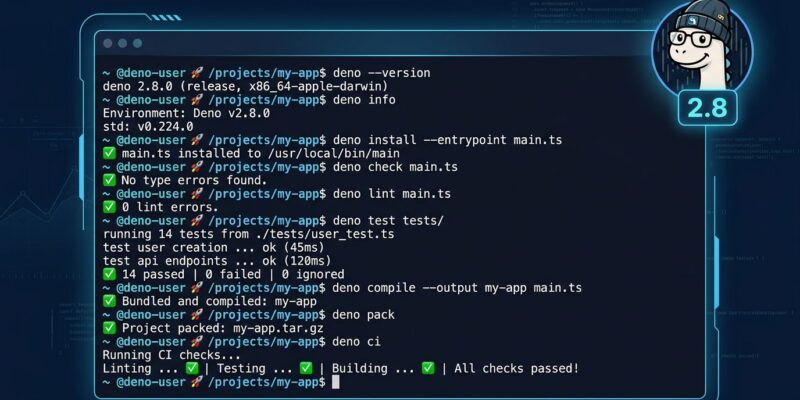
Deno 2.8 shipped in May and most of the coverage fixated on one number: 76% Node.js compatibility. That milestone matters, but it is not the most interesting thing in this release. Buried under the compat headline are six new CLI subcommands that consolidate tools you currently install separately — ts-node, npm-ci wrappers, audit scripts, and library publishing pipelines — into the runtime you already have. If you have deno installed, these commands are already there.
The Problem: Node.js Toolchains Are a Stack of Duct Tape
A typical TypeScript project on Node.js installs something like this before writing a single line of business logic: typescript, ts-node or tsx, esbuild or rollup for bundling, npm-check-updates for dependency management, and whatever publish tooling your library needs. Each tool has its own config format. Each one breaks when Node.js upgrades. Deno 2.8 chips away at that stack, one subcommand at a time.
deno transpile: TypeScript Compilation Without the Tax
The new deno transpile command strips types from TypeScript, JSX, and TSX and writes plain JavaScript to disk. No bundling, no module rewriting, no config file. Just the emit step.
# Before: needs esbuild config or a tsconfig + tsc setup
npx esbuild src/mod.ts --bundle --outfile=dist/mod.js

# After
deno transpile src/mod.ts --outdir dist/
Add --declaration to emit .d.ts files alongside the JavaScript. Add --source-map inline for debuggable output. If you need to publish a JS-only artifact or pre-build for a runtime that does not speak TypeScript natively, this is the right tool. It does not bundle, so you will still reach for deno pack when shipping to npm.
deno ci: The Reproducible Install You Have Always Wanted
npm ci has been the standard for CI installs for years. It works. But it is Node-specific, and its behavior around devDependencies and type packages is not always what you want in a deployment context. Deno 2.8 adds a first-class equivalent:
# CI pipeline: strict lockfile install
deno ci

# Production deployment: no devDeps, no @types/* packages
deno ci --prod --skip-types
deno ci expects a lockfile, removes any existing node_modules, and installs with frozen lockfile behavior. If anything has drifted from the lockfile, it fails loudly. The --skip-types flag drops @types/* packages from both deno.json imports and package.json — useful when shipping a deployment artifact where type packages are dead weight.
deno why and deno audit fix: Dependency Hygiene
Two commands for two related problems: figuring out why a package is in your tree, and patching the ones that should not be there at their current version.
deno why [package] shows every path in your dependency tree that pulls in a given package, for both npm and JSR dependencies:
deno why qs
# qs@6.14.2   npm:express@4 > qs@6.14.2
# qs@6.15.1   npm:express@4 > body-parser@1.20.5 > qs@6.15.1
This replaces the combination of npm explain, npm ls [pkg], and manual tree reading. Pin to a specific version with deno why qs@6.15.1 when you only care about one branch.
deno audit fix auto-patches vulnerabilities to the nearest safe version satisfying your constraints. It deliberately skips major-version bumps — reported as “unfixable” so you bump them intentionally — and skips non-standard version specifiers like >=1 <2 or dist-tags rather than silently rewriting them. npm audit fix has burned teams before by pulling in unexpected major changes. deno audit fix refuses to do that quietly.
deno pack and deno bump-version: Release Without the Pipeline
Publishing a Deno library to npm previously required @deno/dnt — a separate tool that transforms Deno-style imports into Node-compatible ones. deno pack consolidates that into the runtime:
# Full library release workflow
deno bump-version minor
deno pack
npm publish dist/
deno pack emits transpiled JavaScript, .d.ts declaration files, a package.json with type: “module” and conditional exports, plus your README and LICENSE. JSR specifiers are automatically rewritten to npm-compatible equivalents — jsr:@std/path becomes @jsr/std__path without manual intervention. deno bump-version handles both deno.json and package.json in the same directory simultaneously.
What You Still Need npm For
This release does not make npm redundant. Deno 2.8 reaches 76% Node.js compatibility, which leaves a meaningful 24% gap. Complex monorepos with native bindings, packages depending on Node.js internals Deno has not yet implemented, and established production projects will still need the full Node.js toolchain. The six new subcommands are most useful for greenfield Deno projects, TypeScript libraries targeting both ecosystems, and Node.js projects where Deno runs alongside rather than replacing Node. For a broader comparison of where each runtime stands today, the Deno 2.8 release post includes the full compat breakdown.
The Bigger Picture
Deno started as a runtime with better security defaults. It has been slowly becoming a complete development toolkit: package manager, linter, formatter, test runner, bundler, and now compiler and release tooling. Each release removes a reason to reach for a separate npm package. 2.8 accelerated that trend more than any previous release. The 76% compat number gets the headlines. The six subcommands are what will make developers stay.
If you want to try them, the Deno 2.8.0 release notes on GitHub list every command with flags and example output. The CLI reference documentation has the full flag reference for each subcommand.