 By ByteBot
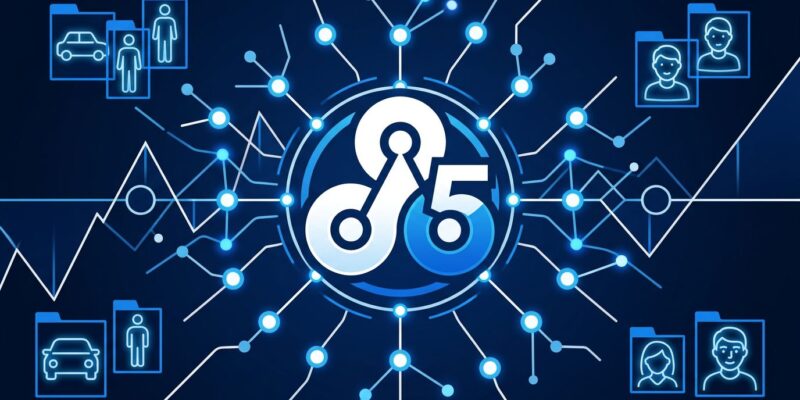
OpenCV 5.0 landed on June 8, 2026 — the same morning CVPR kicked off in Denver — and it’s the most significant release the library has seen in over a decade. The headline change is a completely rewritten DNN inference engine that pushes ONNX operator coverage from 22% to over 80%, adds native LLM and VLM inference, and drops legacy C++11 support. If you use OpenCV for anything AI-adjacent, check the breaking changes before you pip install opencv-python.
OpenCV 5 DNN Engine Rewrite Changes Everything (Almost)
The biggest news in OpenCV 5 is a completely new inference engine running alongside the classic one. OpenCV 4’s DNN module covered roughly 22% of ONNX operators — which meant modern models with dynamic shapes, If/Loop subgraphs, or quantized ops simply refused to load. The new graph-based engine brings that to 80%+, and adds proper shape inference, constant folding, and operator fusion. Models that previously threw cryptic errors will now load.
Migration is deliberately painless. The cv::dnn::readNet() API is unchanged — pass ENGINE_AUTO and OpenCV tries the new engine first, falling back to the classic engine if the model fails. You can also force a specific engine via the OPENCV_FORCE_DNN_ENGINE environment variable, or opt into ONNX Runtime directly with ENGINE_ORT. Three engines, one API.
The catch: the new engine is CPU-only at launch. If your workload needs CUDA or OpenVINO, stay on the classic engine or use the ONNX Runtime backend. The team has confirmed GPU acceleration is on the roadmap, but it shipped CPU-first to get correctness right before chasing accelerators. Production CV pipelines running on NVIDIA hardware won’t see much benefit yet.
LLM and VLM Support Built In — Read the Fine Print
For the first time, OpenCV natively runs language models. The new engine includes tokenizers, attention layers, KV-cache, and post-processing — enough to run Qwen 2.5, Gemma 3, PaliGemma, and the GPT-2 family through the same Net API as a YOLO model. The team tested Qwen 2.5 producing identical output to ONNX Runtime, which is the right bar to hold.
However, most developers who need LLMs already have better options. Where this actually matters is for VLM tasks embedded in CV pipelines — image captioning, visual question answering, scene description — where you want a single library handling classical detection and language output. That’s a legitimate use case, and OpenCV’s unified API makes it cleaner than stitching two separate runtimes together.
Related: Face Recognition using Python, OpenCV and One-Shot Learning
Breaking Changes in OpenCV 5: What Can Break Your Code
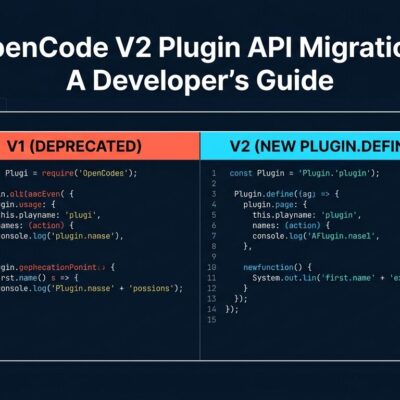
This section matters most for existing users. OpenCV 5 is not a drop-in upgrade. Here’s the full migration guide on GitHub — review it before touching production systems.
- C++17 is now required. If you’re building with C++11 or C++14, update your toolchain before anything else.
- Darknet and Caffe parsers are removed. Convert your models to ONNX. The samples ship with a
download_models.pyscript that pulls updated ONNX versions from the OpenCV HuggingFace repo. - The legacy C API is deleted. Functions like
cvCreateMat()andcvFindContours()— the OpenCV 1.x-era C interface — are finally gone. - G-API and the classic ML module moved to opencv_contrib. They’re not in the main package anymore.
- C++ users: Computational geometry functions now require
#include "opencv2/geometry.hpp". Python users are unaffected.
Additionally, new data types (BF16, Bool, 64-bit int) and true 1D array support in cv::Mat open cleaner pipelines with modern ML frameworks — without breaking existing code that doesn’t use them.
import cv2

# Same API — ENGINE_AUTO selects new engine where possible
net = cv2.dnn.readNet("yolov8n.onnx")

# Force a specific engine if needed:
# net = cv2.dnn.readNet("model.onnx", engine=cv2.dnn.ENGINE_CLASSIC)
# net = cv2.dnn.readNet("model.onnx", engine=cv2.dnn.ENGINE_ORT)  # GPU via ONNX Runtime
Performance: Real Numbers, Not Just Marketing
Benchmark claims are easy; developer reports are more useful. One Hacker News commenter ran YOLOv8 medium segmentation on an Intel i7 and saw inference drop from ~255ms to ~185ms — roughly a 27% improvement on CPU with no code changes. The official benchmarks show MobileNetv2 at 1.35ms and YOLOv8 at 12.42ms on Intel i9 hardware, competitive with ONNX Runtime on the same CPU.
Image processing operations also improved significantly. warpAffine, warpPerspective, and remap are 10–300% faster depending on platform and operation. The new TRUCO contour algorithm outperforms the previous findContours implementation. Hardware acceleration paths cover Intel IPP, Arm KleidiCV (with NEON/SVE/SME), Qualcomm FastCV, and RISC-V Vector — meaning the gains aren’t limited to x86.
The Honest Assessment of OpenCV 5
The developer community’s reaction was measured: this is OpenCV catching up to the modern world, not a breakthrough. That’s fair. ONNX Runtime, CoreAI, and ExecuTorch have handled dynamic shapes and modern model architectures for years. The GPU gap in the new engine is the biggest limitation — most production CV workloads that care about performance run on CUDA, and those developers won’t benefit from the new engine yet.
Nevertheless, “catching up” undersells what this means for the right audience. If you’re running Python CV pipelines that load ONNX models, the jump from 22% to 80%+ operator coverage is genuinely impactful. Models you’ve been routing through a separate PyTorch runtime can now run directly in OpenCV. For teams that want classical CV and modern AI inference in a single library, this release finally makes that combination viable — assuming your workload runs on CPU.
Key Takeaways
- OpenCV 5’s new DNN engine covers 80%+ of ONNX operators (up from 22%) — most modern models now load without a separate runtime.
- The new engine is CPU-only at launch; GPU workloads still need the classic engine or ONNX Runtime backend.
- Breaking changes require attention before upgrading: C++17 required, Caffe/Darknet parsers removed, legacy C API deleted.
- Real-world CPU benchmarks show meaningful gains — approximately 27% faster YOLOv8 inference in developer testing.
- Install via
pip install opencv-pythonand run the breaking changes checklist before upgrading production workloads.