 By
By If you are building AI agents in 2026, you have already hit the wall: your agent returns 200 OK while silently calling the wrong tool, hallucinating a parameter, or routing a request nowhere useful. No stack trace. No error code. Just a subtly wrong result buried three levels deep in async spans. Raindrop AI shipped Workshop on May 14 to attack that exact problem — a free, MIT-licensed local debugger that streams every trace to your browser as it happens and hands those traces to Claude Code over MCP to write evals, fix bugs, and loop until the agent works.
Why Agent Debugging Breaks Traditional Tools
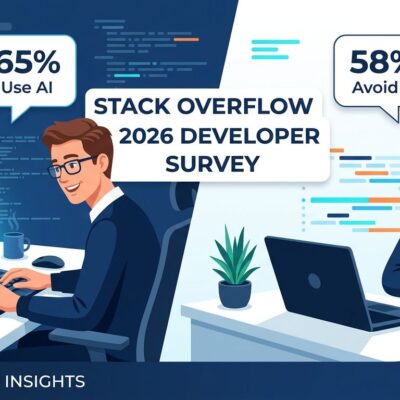
Debugging a web server is straightforward. Something throws, you read the stack trace. Agents are different. The orchestrator finishes cleanly while the agent picked the wrong retrieval chunk, passed a stale context window, or decided a tool wasn’t worth calling. Stack Overflow research cataloging AI agent challenges found 77 distinct failure patterns, with orchestration and retrieval issues averaging over 87 hours to resolve — often unanswered entirely. The failure mode isn’t an exception. It’s a wrong decision made in silence.
The existing tool categories don’t solve the dev-time problem. Cloud SaaS dashboards like LangSmith and Langfuse are excellent for production monitoring but come with latency, data egress, and subscription costs that make them awkward for tight debug loops during development. Terminal output is the fallback, which means manually parsing JSON at 2 AM. Neither is what you want when you are trying to iterate fast on a new agent tool call.
What Workshop Actually Does
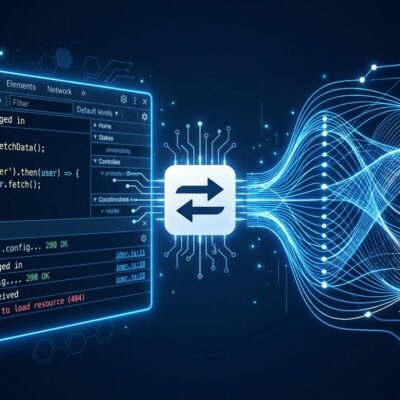
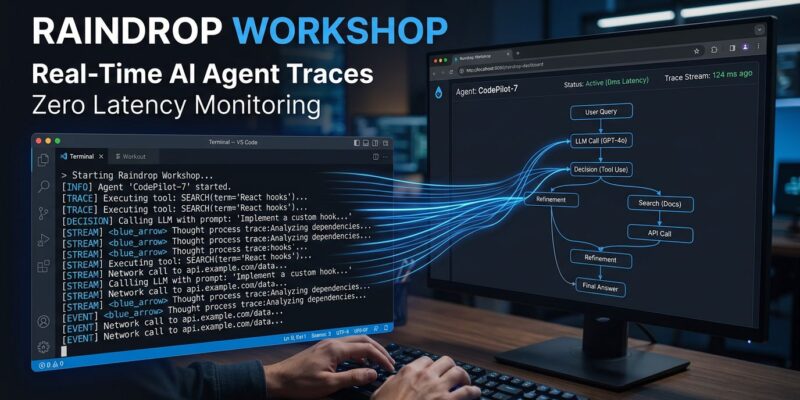
Workshop runs as a local daemon on your machine. It captures every token, tool call, timing, input, output, and error from your agent the moment it happens — zero latency, no polling — and streams it to a browser UI at localhost:5899. All trace data lives in a single SQLite file on your machine. Nothing leaves your environment.
That local-first stance matters for two reasons. First: traces containing proprietary data or sensitive system prompts stay off third-party servers. Second: the feedback loop is instant. There is no “wait for the dashboard to update.” You watch your agent’s decisions unfold in real time as you test.
The second surface is an MCP server. Workshop exposes your traces directly to Claude Code (or Cursor, Devin, or OpenCode). Your coding agent can query your traces in natural language, inspect any span in detail, and take action on what it finds.
The Self-Healing Eval Loop
This is the feature that makes Workshop genuinely interesting rather than just another trace viewer. Most agent developers never write proper evals — not because they don’t want to, but because writing good test cases requires reconstructing exactly what the agent did during a failure. Workshop removes that reconstruction step.
The loop works like this: Workshop captures a failure trace. Claude Code reads it over MCP. Claude writes an eval based on the actual failure — not a guess at what might have gone wrong. The eval runs. Claude sees what still fails, patches the agent code, and re-runs. It repeats until every assertion passes. Raindrop calls this the Self-Healing Agent Loop, and it is a real workflow shift: your coding agent is now doing the debugging work you would otherwise do manually.
The replay capability supports this loop. Any LLM call captured in a trace can be re-executed locally with a different prompt, different model, or different tool implementation. You test a fix against the exact input that broke the agent, not an approximation.
Stack Support
Workshop covers the major languages and frameworks in active use. Languages: TypeScript, Python, Go, and Rust. SDK integrations include Vercel AI SDK, OpenAI Agents SDK, Anthropic SDK, Claude Agent SDK, LangChain, LangGraph, CrewAI, LlamaIndex, and Mastra. Cloud providers: AWS Bedrock, Azure OpenAI, and Vertex AI. Coding agent support: Claude Code, Cursor, Devin, and OpenCode. If you are building agents in 2026 with any mainstream stack, Workshop should instrument without friction.
Where Workshop Fits (And Where It Doesn’t)
Workshop is a development-time tool. It is not replacing your production observability stack. When your agent is live and you need latency percentiles, error rates, and cost tracking across real user traffic, Langfuse, Honeycomb, or LangSmith are still the right call. Workshop is what you have open in a browser tab while you are actively building — the tool you use between “this agent is broken” and “this agent ships.” When you scale to production, Raindrop Cloud offers hosted observability using the same SDKs and schemas, so the transition is seamless.
Getting Started
Installation is a single command:
curl -fsSL https://raindrop.sh/install | bashThen in your coding agent, run:
/instrument-agentWorkshop instruments your agent, opens at localhost:5899, and starts streaming. The GitHub repository is MIT-licensed with 858 stars at launch. VentureBeat covered the launch with additional background on the team and founding context.
The Bottom Line
AI agent development is mature enough to be genuinely productive, and simultaneously immature enough that the debugging toolchain is still catching up. Workshop is a direct attack on that gap: local, free, MCP-native, and designed specifically for the failure modes that make agent debugging different from everything else. If you are shipping an agent in the next month, add Workshop to your dev loop before you start, not after you hit the wall.