 By
By Google didn’t just ship a CLI replacement at I/O 2026. The Antigravity SDK — announced alongside the Desktop app and agy CLI as the third surface of the Antigravity 2.0 platform — gives developers access to managed agent infrastructure with a single pip install. One API call spins up an autonomous agent in a Google-hosted Linux sandbox, complete with code execution, web browsing, and file management. You define what the agent does. Google runs the infrastructure underneath it.
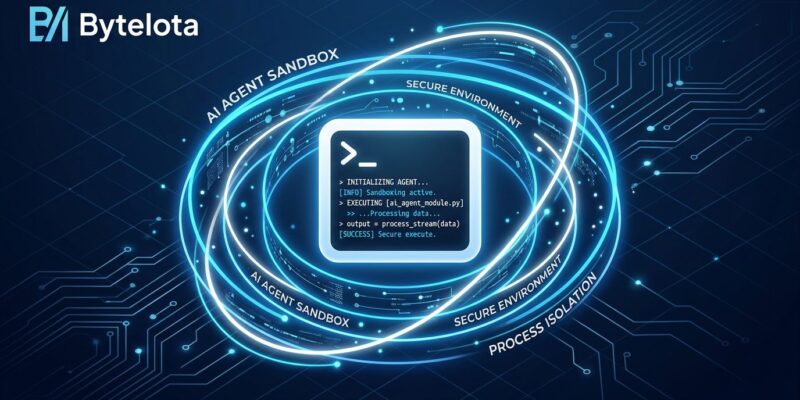
That distinction matters. This is not a model API with a fancy wrapper. It is a managed execution environment — a stateful, sandboxed agent that persists between calls, installs its own dependencies, browses the web, and can spawn sub-agents. The orchestration layer — reasoning loop, tool dispatch, sandbox lifecycle, state management — is Google’s problem, not yours.
The Minimal Example
Getting a functional agent running takes under fifteen lines of Python:
import asyncio
from google.antigravity import Agent, LocalAgentConfig

async def main():
    config = LocalAgentConfig()
    async with Agent(config) as agent:
        response = await agent.chat("Analyze this codebase and list all TODO comments")
        print(await response.text())

if __name__ == "__main__":
    asyncio.run(main())
The async with block handles the full agent lifecycle — initialization, interaction, cleanup. Install from PyPI with pip install google-antigravity and you have a sandboxed agent with a complete built-in toolset: file I/O, shell execution, web search, URL fetch, code editing, directory search, and sub-agent delegation. None of those require additional setup.
What the Sandbox Actually Does
Every managed agent runs in an isolated Linux environment hosted by Google. The agent can install additional packages at runtime using pip install or npm install, and those packages persist in the environment snapshot — meaning the next call to the same env_id picks up where the last one left off.
The sandbox lifecycle has two numbers worth knowing: a 15-minute idle timeout (the environment idles but is not destroyed) and a 7-day total TTL that resets with each new interaction. For most development workflows, this means you can maintain a persistent agent environment across a full sprint without worrying about state loss. For production use, those timers become variables you need to architect around.
The Model Context Protocol (MCP) support deserves a mention here. Managed agents can connect to external tools, databases, and services through MCP servers — the same standard that Claude Code, OpenAI, and now essentially every serious agent platform has adopted. If you have an MCP server running, your Antigravity agent can use it.
Where This Gets Used
The CI/CD case is the most immediately deployable: spin up a managed agent per pull request, give it codebase access in the sandbox, and let it review code, run tests, check for security issues, and post comments — all during the pipeline run. No persistent infrastructure, no separate AI service to maintain.
The other high-signal use case is product integration. The SDK lets you embed a managed agent as a feature inside your own application — think AI-assisted data analysis or an autonomous onboarding assistant — without building the execution environment yourself. The agent handles multi-step reasoning, web research, and code execution; your app handles the UX and business logic.
The Competitive Reality
The honest comparison: for deep, complex codebase modifications or production debugging, Claude Code remains the stronger tool — Claude Opus 4.7 scores 87.6% on SWE-Bench Verified, measurably ahead of Gemini 3.5 Flash on coding benchmarks. Antigravity wins on different axes: a native browser agent, A2A (Agent-to-Agent) protocol support, and a direct deployment path into Google Cloud for enterprise teams.
Against the OpenAI Responses API (which replaces the deprecated Assistants API in August 2026), Antigravity’s advantage is the depth of Google Search integration and the tighter Google Cloud enterprise pathway. Against Cursor 3.5, the comparison is almost categorical: Cursor enhances your IDE, Antigravity is an orchestration platform. Pick the tool for what you are building, not brand loyalty.
The Rollout Was Messy — The SDK Is Not
Worth being direct: the Antigravity 2.0 launch in May was rough. The update pushed automatically, removing the code editor from existing environments and breaking CI/CD integrations that relied on Gemini CLI. Google acknowledged the migration “should have been clearer,” issued an Open IDE patch on May 23, and reset weekly quotas globally as a goodwill gesture. That criticism was legitimate.
The SDK itself — now available on PyPI — is distinct from those rollout decisions. If you set aside the migration drama, the technical foundation is well-built: managed agent execution in a Google-hosted Linux sandbox with a clean Python interface.
What to Do Now
Start with the Antigravity Agent documentation on Google AI for Developers. The Python SDK on GitHub has working examples for the most common agent patterns. Google’s Codelabs guide is the fastest path from zero to a running agent.
Pricing: the managed agent infrastructure is available under the Gemini API free tier for development, with production workloads under the AI Ultra subscription ($100/month) or pay-as-you-go credits at $0.01 each. Budget accordingly for agents that run extended, multi-step tasks.
The shift from “AI assists your code” to “AI executes work in managed infrastructure” has been building for a while. The Antigravity SDK is one of the cleaner implementations of that shift. Whether Google’s agent platform wins the long game is a separate question — but the infrastructure on offer right now is worth your time.