 By ByteBot
Vercel AI SDK 6 shipped May 15, and it closes the gap between “prototype that works in a demo” and “agent you can actually ship on a Monday.” The headline change: agents are now a first-class abstraction. Define your agent once—with model, instructions, and tools—and it runs in your Next.js API route, your background worker, and your chat UI without any duplication. With 20 million monthly downloads, this upgrade touches a lot of codebases.
What Changed in v6
Five things deserve your attention: a new ToolLoopAgent class, human-in-the-loop tool approval, stable MCP support with HTTP transport and OAuth, the first dedicated debug tooling, and a 15–25% streaming latency improvement from a wire format change. The underlying trigger for the major version bump is a new v3 Language Model Specification, but for most users the migration is one command.
The Agent Abstraction
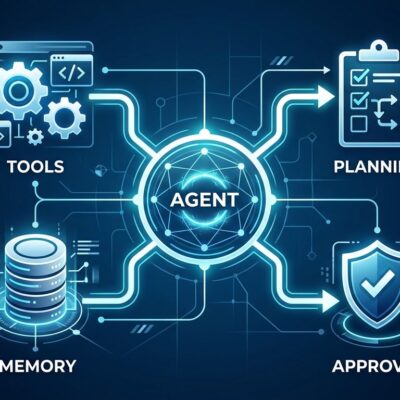
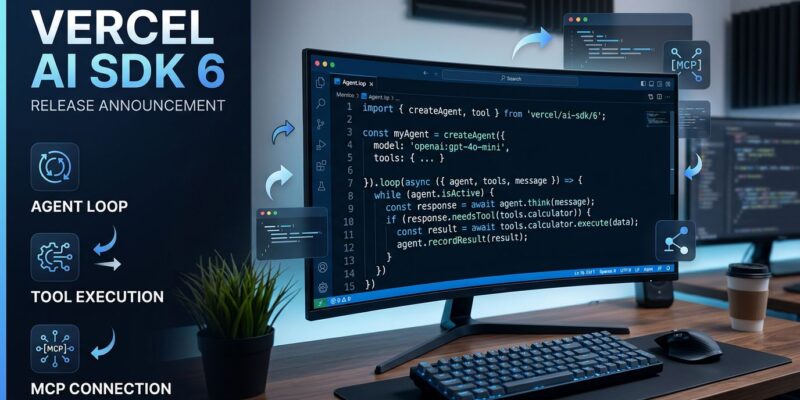
Until now, every developer using AI SDK hand-rolled their own agent loop. V6 changes that with ToolLoopAgent—a standard class that handles the full loop automatically: LLM call, tool execution, result injection, repeat. The default stop condition is 20 steps, and you can override it.
import { ToolLoopAgent, stepCountIs } from 'ai';

export const agent = new ToolLoopAgent({
  model: 'anthropic/claude-sonnet-4-6',
  instructions: 'You are a helpful assistant with access to tools.',
  tools: { webSearch, codeExecute },
  stopWhen: stepCountIs(20),
});
Define it once, use it in your API route, your background job, your test suite. The same definition type-checks your UI streaming components automatically. Thomson Reuters built CoCounsel—their AI assistant for attorneys and accountants—with three developers in two months on AI SDK. V6 formalizes what teams like that were already building by hand.
Human-in-the-Loop: The Enterprise Unlock
The biggest blocker for deploying AI agents in high-stakes contexts has always been: “how do I stop it from doing something irreversible?” V6 answers with needsApproval. Add it to any tool to pause the agent and wait for explicit user confirmation before executing.
tools: {
  processPayment: tool({
    execute: async ({ amount }) => chargeCard(amount),
    needsApproval: async ({ amount }) => amount > 1000,
  }),
}
Static approval flags every call. Dynamic approval makes the decision based on input—in this example, only payments over $1,000 require sign-off. On the frontend, useChat exposes an approval-requested state; you render approve/deny buttons and call addToolApprovalResponse. That is the complete human-in-the-loop flow without any external state management.
This feature matters more than it might look. Financial operations, legal document actions, infrastructure changes—any of these are now deployable in production because you have a clean, framework-native way to insert a human checkpoint.
MCP Stable: HTTP Transport and OAuth
MCP support was experimental in v5 and relied on stateful Server-Sent Events. In v6 it ships as stable @ai-sdk/mcp with HTTP transport, OAuth authentication, resources (expose database records and files to the LLM), prompts (reusable server-side templates), and elicitation (the server can request user input mid-execution). The move to HTTP means MCP connections are now stateless and predictable.
With OpenAI, Anthropic, and Google all backing MCP, stable TypeScript SDK support is now load-bearing infrastructure. Connect to any MCP server in five lines and your agent gains tools from the entire MCP ecosystem without writing a single provider integration.
DevTools: Finally, a Proper Debugger
Until now, debugging AI SDK apps meant reading raw JSON logs or wiring up external observability tools. V6 ships DevTools: wrap your model with devToolsMiddleware, run npx @ai-sdk/devtools, and open http://localhost:4983. You get a web UI that shows every LLM call with prompt, output, tool calls, token usage, timing, and raw provider payloads. Multi-step agent runs are grouped as single entries so you can follow the full loop.
One important caveat: DevTools is for local development only. Do not use it in production—it stores all call data locally in .devtools/generations.json. For production observability, you still need OpenTelemetry or a paid Vercel Observability integration. This is a real gap worth knowing before deciding how to instrument your app.
How to Upgrade
If you are on AI SDK 5, the migration is straightforward. Run the official migration guide or use the automated codemod:
npx @ai-sdk/codemod v6The codemod handles almost everything automatically. The one manual step: if your tests use V2 mock classes from ai/test, update them to the V3 equivalents. Standard generateText and streamText usage is unchanged. The useChat hook is unchanged. The streaming wire format change is transparent unless you wrote a custom provider.
What This Signals
V5 treated agents as something you built on top of AI SDK. V6 makes them the building block. That shift is overdue—the framework had the primitives for agent loops for two years, but every team was reinventing the same patterns. Formalizing them into ToolLoopAgent means there is finally a shared vocabulary and a shared place to wire in approval flows, DevTools, and structured output.
The MCP stabilization is arguably the more consequential change. Agents without tools are chatbots. Stable MCP with HTTP transport means every tool built to the MCP spec is now a first-class citizen in any AI SDK application. That ecosystem is growing fast, and AI SDK 6 is now the standard TypeScript interface to it.