 By ByteBot
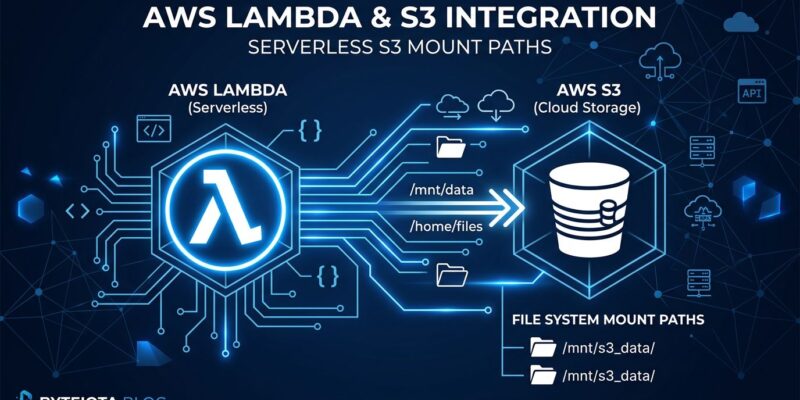
Lambda’s /tmp workaround was always embarrassing. You’d download a 2 GB model from S3 on every cold start, wait 15-30 seconds, and ship it as production. As of April 7, 2026, that pattern is obsolete. AWS S3 Files is now generally available, and Lambda functions can mount any S3 bucket directly as a file system — standard POSIX calls, shared across invocations, at S3 storage pricing.
This is one of those features that sounds incremental until you price it out and realize it changes the architecture of a dozen things you’ve been doing wrong.
What S3 Files Actually Is
Amazon S3 Files exposes an NFS interface over your S3 bucket. Lambda mounts it at a /mnt/ path — the same mechanism used for EFS — and then your function code reads and writes files using ordinary file I/O. No boto3 download calls, no presigned URLs, no size math against the /tmp ceiling. The bucket is just there, like a disk.
Under the hood, it’s built on EFS plumbing. The key difference is where the data lives: in S3, not EFS. Up to 25,000 concurrent connections can hit the same mount point simultaneously across Lambda, EC2, ECS, EKS, and Fargate. That shared-data story is where S3 Files earns its place.
The Pricing Case (This Is the Real Story)
EFS Standard costs $0.30 per GB-month on everything you store. A 10 TB dataset for reference lookups or model weights runs $3,000 a month regardless of how often it gets touched. S3 Files charges S3 Standard rates — $0.023/GB-month — on everything in the bucket, and only applies the $0.30/GB high-performance tier on the actively cached working set. Files over 1 MB stream directly from S3 at no additional S3 Files surcharge.
Same 10 TB bucket, 500 GB hot: roughly $368/month versus $3,000 on EFS. That’s an 88% cost reduction for the AI inference workloads this feature is clearly aimed at — not a marginal win.
| Approach | Storage Cost | Shared? | Cold Start Impact | POSIX |
|---|---|---|---|---|
| /tmp | $0 (included) | No | Fast | Full |
| EFS mount | $0.30/GB-month | Yes | +50-100ms (VPC) | Full |
| S3 download | $0.023/GB | No (per invocation) | +15-30s (large files) | N/A |
| S3 Files (new) | $0.023/GB base | Yes | VPC setup required | Partial |
How to Wire It Up
There are two prerequisites before you write a line of code.
First, your Lambda function must be in a VPC. S3 Files mounts over NFS (port 2049), which means mount targets need to be reachable via your VPC network. If you’re already running VPC-attached Lambdas, this is nothing new. If you’ve been keeping your functions VPC-free for simplicity, this is the operational tax S3 Files charges for entry.
Second, your function’s execution role needs two permissions: s3files:ClientMount to mount the filesystem, and s3files:ClientWrite for read-write access. Read-only workloads can skip the second one. Configuration is available through the Lambda console, AWS CLI, SAM, and CloudFormation via the official AWS docs.
Once mounted, your function reads files like this:
import os

def handler(event, context):
    model_path = "/mnt/models/bert-base.onnx"

    with open(model_path, "rb") as f:
        model_bytes = f.read()

    # run inference with model_bytes
    return {"status": "ok", "model_size_mb": len(model_bytes) // (1024 * 1024)}
No boto3 imports. No credentials. No retry logic for failed downloads. The complexity evaporates.
What S3 Files Can’t Do (Read This Before Production)
S3 Files deliberately does not implement the full POSIX standard. AWS was explicit about this — operations that can’t be done efficiently against S3’s object API simply aren’t supported. The Mountpoint POSIX semantics document is required reading before production deployment. The practical shortlist:
- No file locks.
lockf()is not supported. Two Lambda invocations writing to the same file simultaneously produce undefined results. - No hard links or symbolic links.
- No
chmod,chown, orchgrp. File metadata changes are unsupported. - No atomic directory renames.
- 60-second write commit latency. Writes are batched and committed as S3 PUTs approximately every 60 seconds.
The write latency and missing file locks are the ones that will catch developers in production. Design for single-writer patterns, or treat mounted files as read-only and write results elsewhere — DynamoDB, SQS, or a separate S3 prefix.
Use It When, Skip It When
S3 Files is the right call for workloads with large, relatively static reference data: ML model files, embedding tables, audio or video source files, lookup datasets too large for memory. Anything where the old pattern was “cold start downloads 3 GB, warms up in 20 seconds” is a direct candidate for replacement.
Skip it for low-latency small-file reads (use DynamoDB or ElastiCache), high-frequency writes, workloads needing file locking, or functions you’ve intentionally kept VPC-free to reduce operational complexity.
If you’re building AI inference pipelines on Lambda, the calculus is clear: stop re-downloading your models on every cold start and mount them instead. For everything else, run through the POSIX limitations list before committing. The AWS Fundamentals cost breakdown is a solid starting point for the pricing math on your specific workload.
The Bottom Line
S3 Files is a meaningful addition to the serverless toolkit — not a headline feature that overpromises. It solves a real problem at a price point that makes EFS look like legacy pricing. The trade-offs are real: partial POSIX support, VPC requirement, and write semantics that will surprise anyone who treats it like a full filesystem. Go in with eyes open and it earns its place in your stack.