 By
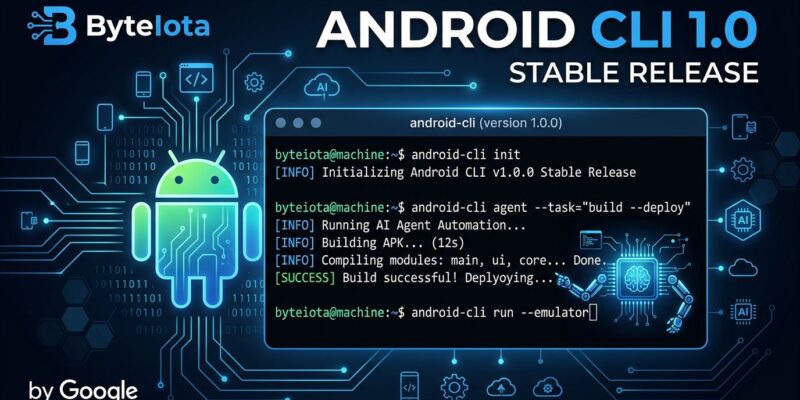
By Android CLI hit 1.0 stable at Google I/O 2026 this week, graduating from its April preview into a production-ready tool with a meaningful new feature: direct access to Android Studio’s capabilities from the terminal. Any AI agent — Claude Code, Codex, Cursor, or one of the 37 officially supported platforms — can now query your project for lint issues, render Compose previews, and resolve symbols without ever opening the IDE. Google’s own benchmarks: 3x faster task completion, 70% fewer tokens consumed versus agents running without it. The message is clear. Google is done pretending Android developers live exclusively inside Android Studio.
The android studio Command: The Real Addition
The April preview gave agents a clean binary for scaffolding projects, managing emulators, and running apps. Useful, but nothing that forced a workflow change. The stable 1.0 release adds the android studio command group, which is the part that actually matters.
With a running instance of Android Studio Quail 2 Canary 1+ alongside it, agents can now call:
android studio analyze-file --project=MyApp app/src/main/java/.../MainActivity.kt
android studio find-declaration --short HotelDetailScreen
android studio render-compose-preview --output-image-file=preview.png app/.../Screen.kt PreviewFn
android studio version-lookup androidx.compose.ui:ui agp kotlin
That last one — version lookup — is quietly excellent. Agents guessing at Compose or AGP versions and hallucinating dependency coordinates is a common failure mode. version-lookup queries live repository data and returns the actual latest stable version. For codebases being actively maintained by agents, this matters.
The catch: this requires the Quail 2 Canary 1 preview build, not the current stable Android Studio release. If you are on the stable channel, the android studio commands do nothing. Plan accordingly.
Why the Token Numbers Are Real
The 70% token reduction is not vague marketing. It comes from how Android CLI structures its output. Traditional agent workflows dump full text logs, entire file contents, and verbose SDK manager output at the model. Android CLI returns structured JSON and supports --diff mode, which sends only the elements that changed since the last snapshot:
android layout --diffInstead of re-processing the entire UI hierarchy on every iteration, the agent sees only what changed. On a complex screen with dozens of composables, that is the difference between 8,000 tokens and 400. Multiplied across a development session, the savings compound quickly and translate directly into lower API costs.
Skills: 16 Available, 5 New in Stable
Android CLI’s skills system ships modular markdown instruction sets that auto-trigger when a prompt matches their metadata. No manual context-stuffing, no copying documentation into system prompts.
The stable release adds five skills not present in the preview:
- Build for display glasses — Jetpack Compose Glimmer for Android XR glasses
- Implement AppFunctions — expose app workflows to Android’s AI agent layer
- Analyze Perfetto traces — root cause latency, memory, and jank issues
- Use Perfetto SQL — natural language to Perfetto SQL query translation
- Set up testing strategy — unit, UI, and screenshot test scaffolding
Adding a skill for Claude Code is one command:
android skills add --agent=claude-code --skill=migrate-xml-views-to-jetpack-composeThe full library lives at github.com/android/skills and follows the agentskills.io open standard, meaning community-contributed skills work in the same pipeline. There are already third-party repositories for Compose performance optimizations and Jetpack-specific workflows.
Journeys: Agent-Driven UX Testing
Stable 1.0 also ships Journeys support — the ability for agents to execute natural language user experience flows against a running app. Instead of maintaining fragile Espresso test scripts, you describe what the user does: “Log in with Google, navigate to account settings, update the display name.” The agent simulates the flow.
This is early-stage, but the infrastructure supporting it is solid. android screen capture --annotate draws labeled bounding boxes around UI elements. android screen resolve translates those visual labels into device coordinates. Journeys sits on top of both. For teams already using agents for coding, adding agent-driven QA to the same workflow is a natural extension.
Installation and Honest Caveats
Android CLI 1.0 is free. Install it with your package manager of choice:
# macOS
brew install android-cli

# Linux
apt-get install android-cli

# Windows
winget install -e --id Google.AndroidCLI
Once installed, initialize agent skills with android init, then add skills for your specific agent. The full command reference is on the Android Developers site.
The Windows caveats are real and worth stating plainly: the emulator command is disabled on Windows in 1.0, and downloading Android CLI from Windows PowerShell is unsupported. If you are doing agent-driven Android development on Windows, you will need WSL or a Linux environment to get the full experience. Google has not given a timeline for the Windows gap.
Early adopters on Hacker News hit download script errors on day one, which is normal for a just-shipped stable release. Check the official blog post for any known issue updates.
Who Should Use This Now
If you are using Claude Code, Cursor, or any of the other 37 officially supported agents for Android development, installing Android CLI 1.0 is a straightforward win. The token savings alone justify the setup time. The android studio commands require the Studio Quail preview build, but the rest of the CLI works with your current toolchain today.
If you are Windows-only and relying on the emulator command, wait for the next patch release. If you are on macOS or Linux and doing any agent-assisted Android work, there is no good reason to stay on the old fragmented SDK tools when a unified, agent-optimized binary is now production-stable.