Lightpanda is an open-source headless browser built from scratch in Zig, designed exclusively for AI agents and web automation. Unlike Chrome headless—a desktop browser with the display turned off—Lightpanda eliminates the entire graphical rendering stack from the ground up. The result: 11x faster execution and 9x less memory usage than Chrome headless, enabling 140 concurrent automation instances per server versus just 15 for Chrome. Trending #3 on GitHub today with 1,175 stars gained, Lightpanda isn’t just faster Chrome—it’s purpose-built infrastructure for the AI agent era.
The Performance Numbers Are Real
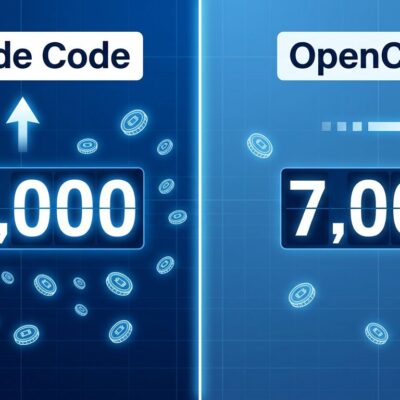
Lightpanda delivers 11x faster execution on standardized benchmarks. A Puppeteer script requesting 100 pages takes Chrome headless 25.2 seconds and peaks at 207MB memory. Lightpanda completes the same task in 2.3 seconds using 24MB peak. That’s not incremental improvement—it’s order-of-magnitude gains that unlock new economics.
Moreover, the infrastructure impact is stark. On an AWS m5.large server with 8GB RAM, you can run 140 concurrent Lightpanda instances versus just 15 Chrome headless instances. Real-world workloads that required 20 servers now need 2. Companies report infrastructure costs falling from $10,200/month to $1,800/month—an 82% reduction for identical throughput. Scraping 1,000 product pages drops from 45-60 seconds to 4-5 seconds. These aren’t edge cases; they’re typical results when you stop using a desktop browser for server workloads.
Furthermore, the startup time difference matters even more for AI agents. Chrome headless takes 3-5 seconds to initialize—loading browser profiles, spinning up GPU contexts, initializing extension frameworks. Lightpanda starts in under 100 milliseconds because it skips all that desktop bloat. For AI agents that need instant responsiveness, that 50x improvement transforms from “slightly annoying” to “actually usable.”
Built From Scratch, Not Forked From Chrome
Lightpanda isn’t a Chrome wrapper or Firefox fork. It’s a complete browser implementation in Zig that skips CSS rendering, image loading, layout calculations, and GPU compositing entirely. The architecture includes only what machines need: HTTP loading via libcurl, HTML parsing via html5ever, DOM tree construction, and JavaScript execution via V8. Traditional headless browsers maintain the full rendering pipeline even when not displaying anything—Chrome headless still constructs render trees, calculates layout, manages stylesheets, and allocates GPU resources. All unnecessary for automation.
The Zig language choice isn’t accidental. Building a browser requires tight C interoperability for integrating V8, libcurl, and html5ever. Zig’s ability to call C functions directly, without FFI overhead or wrapper bindings, made this practical. Manual memory control without a garbage collector means no GC pauses killing latency. The learning curve is gentler than Rust’s borrow checker while delivering comparable performance.
The founders explain their rationale bluntly: “We ran a company scraping millions of pages daily. Chrome’s infrastructure costs spiraled. We tried every optimization—pooling, shared contexts, aggressive resource blocking. It helped, but fundamentally we were patching a desktop browser for a use case it wasn’t designed for.” Building from scratch sounds crazy until you realize Chrome’s rendering stack represents 80% of its code complexity. For automation, you can skip 80% of the problem.
Migration is Three Lines of Code
Lightpanda implements the Chrome DevTools Protocol, making it a drop-in replacement for Puppeteer, Playwright, and chromedp. The biggest objection to switching—”I don’t want to rewrite thousands of lines of automation code”—doesn’t apply. Migration typically requires changing three lines: the browser connection endpoint. Everything else works identically.
// Before (Chrome headless)
const puppeteer = require('puppeteer');
const browser = await puppeteer.launch({ headless: true });

// After (Lightpanda)
const puppeteer = require('puppeteer');
const browser = await puppeteer.connect({
  browserURL: 'http://localhost:3000',  // Lightpanda CDP endpoint
});

// Rest of code unchanged
const page = await browser.newPage();
await page.goto('https://example.com');
const title = await page.title();  // Works identically
CDP compatibility means you can test Lightpanda in 10 minutes without rewriting code. Start with non-critical workloads, measure performance gains, then expand usage. The practical strategy: use Lightpanda as primary (handles 80% of tasks), Chrome as fallback (20% edge cases). Best of both worlds—speed where possible, compatibility when necessary.
Why This Exists: The AI Agent Bottleneck
AI agent adoption grew 920% between 2023-2025. Agent frameworks like AutoGPT, CrewAI, and LangChain appear in over 1.6 million GitHub repositories. Consequently, as agents became mainstream, the bottleneck shifted from AI models to the tools they use—particularly browsers for web interaction. Chrome headless wasn’t designed for this workload.
Real-world agent bottleneck: AI agents were spending 80% of their time waiting for Chrome to start. Lightpanda’s sub-100ms startup makes agents instantly responsive. Infrastructure constraint: you can run 15 concurrent Chrome agents per 8GB RAM server, or 140 Lightpanda agents—a 9.3x density improvement. Therefore, for personal AI agents or autonomous assistants, the difference between economically infeasible and viable is exactly this kind of infrastructure efficiency.
Lightpanda is part of a broader wave of AI-native infrastructure: purpose-built tools for AI use cases, not retrofitted desktop software. BitNet optimized LLM inference to 1-bit weights. Hono built a 14KB edge API framework. OpenRAG created a purpose-built RAG platform. The pattern: don’t retrofit desktop tools for AI—build from scratch for AI workloads. As AI agents become the primary browser users (possibly by 2027), design priorities invert: optimize for machines, not humans.
Beta Means Trade-offs, Not Magic
Lightpanda is in beta with incomplete Web API coverage. The GitHub README states honestly: “There are hundreds of Web APIs. Developing a browser is a huge task. Coverage will increase over time.” Community reports indicate roughly 5% of sites hit crashes or unsupported APIs. Use cases requiring visual rendering—screenshots, PDFs, CSS verification—don’t work because Lightpanda has no rendering engine.
However, what works: HTTP/HTTPS loading, HTML5 parsing, JavaScript execution via V8, DOM manipulation, CDP server, basic Web APIs. What doesn’t: some advanced Web APIs like WebRTC, certain Canvas features, visual rendering, browser extensions, perfect Chrome compatibility. The recommended strategy: use Lightpanda as primary with Chrome fallback for edge cases. Monitor error rates, report coverage gaps, stay close to the project’s rapid development.
Set realistic expectations. If you need 100% compatibility and zero tolerance for crashes, stick with Chrome. Nevertheless, if you can tolerate 5% error rates with fallback logic and don’t need rendering, the 11x speed and 82% cost savings are compelling. Beta status means early adopters get infrastructure savings now with manageable risk. As coverage improves weekly, the viable use case percentage only increases. Calculate ROI: if automation costs exceed $1,000/month, test Lightpanda this week.
Key Takeaways
- Performance: 11x faster execution, 9x less memory than Chrome headless (2.3s vs 25.2s, 24MB vs 207MB)
- Architecture: Built from scratch in Zig, skips CSS rendering/layout/GPU entirely, includes only HTTP + HTML + DOM + JS
- Migration: CDP-compatible with Puppeteer/Playwright, typically 3-line code change, existing automation scripts work
- Cost Impact: Infrastructure savings of 82% reported ($10.2k → $1.8k/month), 140 vs 15 concurrent instances per 8GB server
- Use Cases: AI agents (instant startup), high-volume scraping (cost-sensitive), form automation (high concurrency)
- Beta Reality: ~95% compatibility, some sites crash, no screenshots/PDFs, use with Chrome fallback, coverage improving weekly
- AI Context: Part of AI-native infrastructure wave (agents over humans), 920% agent adoption growth 2023-2025
Lightpanda proves building from scratch isn’t crazy when existing tools carry 20+ years of wrong assumptions. Chrome was designed for humans in 1998. Lightpanda is designed for machines in 2026. That architectural difference delivers order-of-magnitude gains that make new use cases economically viable. Try it: change three lines of code, measure your own performance delta, calculate your own cost savings.